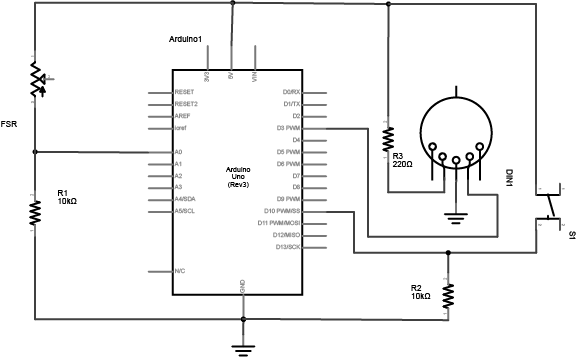
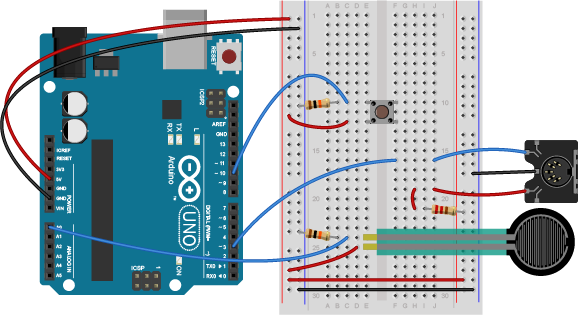
|
Intro to Physical Computing Syllabus Research & Learning Other Class pages
ITP Help Pages |
MIDI Output using an ArduinoLabs.MIDIOutput HistoryHide minor edits - Show changes to markup December 12, 2012, at 05:30 PM
by -
Deleted lines 67-68:
(:div class=code :) Added line 116:
Changed lines 118-121 from:
(:divend:) to:
Deleted lines 124-125:
(:div class=code :) Changed lines 216-218 from:
(:divend:) to:
December 12, 2012, at 05:29 PM
by - December 12, 2012, at 05:29 PM
by -
Added lines 68-70:
(:div class=code :)
#include <SoftwareSerial.h>
Changed lines 72-73 from:
to:
// Variables: byte note = 0; // The MIDI note value to be played Changed lines 75-76 from:
// Variables: byte note = 0; // The MIDI note value to be played to:
//software serial SoftwareSerial midiSerial(2, 3); // digital pins that we'll use for soft serial RX & TX Deleted lines 77-78:
//software serial
SoftwareSerial midiSerial(2, 3); // digital pins that we'll use for soft serial RX & TX
Added lines 80-85:
void setup() { // Set MIDI baud rate: Serial.begin(9600); midiSerial.begin(31250); } Changed lines 87-97 from:
void setup() {
// Set MIDI baud rate:
Serial.begin(9600);
midiSerial.begin(31250);
}
void loop() {
// play notes from F#-0 (30) to F#-5 (90):
for (note = 30; note < 90; note ++) {
//Note on channel 1 (0x90), some note value (note), middle velocity (0x45):
to:
void loop() { // play notes from F#-0 (30) to F#-5 (90): for (note = 30; note < 90; note ++) { //Note on channel 1 (0x90), some note value (note), middle velocity (0x45): Changed lines 92-93 from:
delay(100);
//Note on channel 1 (0x90), some note value (note), silent velocity (0x00):
to:
delay(100); //Note on channel 1 (0x90), some note value (note), silent velocity (0x00): Changed line 95 from:
delay(100); to:
delay(100);
Changed lines 99-104 from:
// plays a MIDI note. Doesn't check to see that
// cmd is greater than 127, or that data values are less than 127:
void noteOn(byte cmd, byte data1, byte data2) {
midiSerial.write(cmd);
midiSerial.write(data1);
midiSerial.write(data2);
to:
// plays a MIDI note. Doesn't check to see that // cmd is greater than 127, or that data values are less than 127: void noteOn(byte cmd, byte data1, byte data2) { midiSerial.write(cmd); midiSerial.write(data1); midiSerial.write(data2); Changed lines 107-113 from:
//prints the values in the serial monitor so we can see what note we're playing
Serial.print("cmd: ");
Serial.print(cmd);
Serial.print(", data1: ");
Serial.print(data1);
Serial.print(", data2: ");
Serial.println(data2);
to:
//prints the values in the serial monitor so we can see what note we're playing Serial.print("cmd: "); Serial.print(cmd); Serial.print(", data1: "); Serial.print(data1); Serial.print(", data2: "); Serial.println(data2); Added line 118:
(:divend:) Added line 120:
December 12, 2012, at 03:55 PM
by -
Changed lines 69-70 from:
// Variables: byte note = 0; // The MIDI note value to be played to:
Changed lines 71-74 from:
void setup() { // Set MIDI baud rate: Serial.begin(31250); } to:
// Variables: byte note = 0; // The MIDI note value to be played Changed lines 74-84 from:
void loop() { // play notes from F#-0 (30) to F#-5 (90): for (note = 30; note < 90; note ++) { //Note on channel 1 (0x90), some note value (note), middle velocity (0x45): noteOn(0x90, note, 0x45); delay(100); //Note on channel 1 (0x90), some note value (note), silent velocity (0x00): noteOn(0x90, note, 0x00); delay(100); } } to:
//software serial
SoftwareSerial midiSerial(2, 3); // digital pins that we'll use for soft serial RX & TX
Deleted lines 76-82:
// plays a MIDI note. Doesn't check to see that // cmd is greater than 127, or that data values are less than 127: void noteOn(byte cmd, byte data1, byte data2) { Serial.write(cmd); Serial.write(data1); Serial.write(data2); } Changed lines 79-90 from:
(:divend:) Allow a Person to Play NotesThe previous example will just play notes, no interactivity. The example below uses an analog input to set the pitch, and a digital input (a switch) to start and stop the note: (:div class=code :) (:div class=code :) #include <SoftwareSerial.h>
to:
void setup() {
// Set MIDI baud rate:
Serial.begin(9600);
midiSerial.begin(31250);
}
Changed lines 86-87 from:
const int switchPin = 10; // The switch is on Arduino pin 10 const int LEDpin = 13; // Indicator LED to:
void loop() {
// play notes from F#-0 (30) to F#-5 (90):
for (note = 30; note < 90; note ++) {
//Note on channel 1 (0x90), some note value (note), middle velocity (0x45):
noteOn(0x90, note, 0x45);
delay(100);
//Note on channel 1 (0x90), some note value (note), silent velocity (0x00):
noteOn(0x90, note, 0x00);
delay(100);
}
}
Changed lines 98-103 from:
// Variables: byte note = 0; // The MIDI note value to be played int AnalogValue = 0; // value from the analog input int lastNotePlayed = 0; // note turned on when you press the switch int lastSwitchState = 0; // state of the switch during previous time through the main loop int currentSwitchState = 0; to:
// plays a MIDI note. Doesn't check to see that
// cmd is greater than 127, or that data values are less than 127:
void noteOn(byte cmd, byte data1, byte data2) {
midiSerial.write(cmd);
midiSerial.write(data1);
midiSerial.write(data2);
//prints the values in the serial monitor so we can see what note we're playing
Serial.print("cmd: ");
Serial.print(cmd);
Serial.print(", data1: ");
Serial.print(data1);
Serial.print(", data2: ");
Serial.println(data2);
}
Deleted lines 116-117:
//software serial SoftwareSerial midiSerial(2, 3); // digital pins that we'll use for soft serial RX & TX Added lines 118-129:
(:divend:) Allow a Person to Play NotesThe previous example will just play notes, no interactivity. The example below uses an analog input to set the pitch, and a digital input (a switch) to start and stop the note: (:div class=code :) (:div class=code :) #include <SoftwareSerial.h>
Changed lines 131-141 from:
void setup() { // set the states of the I/O pins: pinMode(switchPin, INPUT); pinMode(LEDpin, OUTPUT); // Set MIDI baud rate: Serial.begin(9600); blink(3); midiSerial.begin(31250); } to:
const int switchPin = 10; // The switch is on Arduino pin 10 const int LEDpin = 13; // Indicator LED Added lines 134-156:
// Variables: byte note = 0; // The MIDI note value to be played int AnalogValue = 0; // value from the analog input int lastNotePlayed = 0; // note turned on when you press the switch int lastSwitchState = 0; // state of the switch during previous time through the main loop int currentSwitchState = 0; //software serial SoftwareSerial midiSerial(2, 3); // digital pins that we'll use for soft serial RX & TX void setup() { // set the states of the I/O pins: pinMode(switchPin, INPUT); pinMode(LEDpin, OUTPUT); // Set MIDI baud rate: Serial.begin(9600); blink(3); midiSerial.begin(31250); } December 12, 2012, at 03:50 PM
by -
Changed lines 106-176 from:
(:source lang=c++ :) //include the software serial library
const int switchPin = 10; // The switch is on Arduino pin 10 const int LEDpin = 13; // Indicator LED // Variables:
byte note = 0; // The MIDI note value to be played
int AnalogValue = 0; // value from the analog input
int lastNotePlayed = 0; // note turned on when you press the switch
int lastSwitchState = 0; // state of the switch during previous time through the main loop
int currentSwitchState = 0;
//software serial SoftwareSerial midiSerial(2, 3); // digital pins that we'll use for soft serial RX & TX void setup() {
// set the states of the I/O pins:
pinMode(switchPin, INPUT);
pinMode(LEDpin, OUTPUT);
// Set MIDI baud rate:
Serial.begin(9600);
blink(3);
midiSerial.begin(31250);
}
void loop() {
// My potentiometer gave a range from 0 to 1023:
AnalogValue = analogRead(0);
// convert to a range from 0 to 127:
note = AnalogValue/8;
currentSwitchState = digitalRead(switchPin);
// Check to see that the switch is pressed:
if (currentSwitchState == 1) {
// check to see that the switch wasn't pressed last time
// through the main loop:
if (lastSwitchState == 0) {
// set the note value based on the analog value, plus a couple octaves:
// note = note + 60;
// start a note playing:
noteOn(0x90, note, 0x40);
// save the note we played, so we can turn it off:
lastNotePlayed = note;
digitalWrite(LEDpin, HIGH);
}
}
else { // if the switch is not pressed:
// but the switch was pressed last time through the main loop:
if (lastSwitchState == 1) {
// stop the last note played:
noteOn(0x90, lastNotePlayed, 0x00);
digitalWrite(LEDpin, LOW);
}
}
// save the state of the switch for next time
// through the main loop:
lastSwitchState = currentSwitchState;
}
// plays a MIDI note. Doesn't check to see that
// cmd is greater than 127, or that data values are less than 127:
void noteOn(byte cmd, byte data1, byte data2) {
midiSerial.write(cmd);
midiSerial.write(data1);
midiSerial.write(data2);
to:
(:div class=code :) Changed lines 109-128 from:
//prints the values in the serial monitor so we can see what note we're playing
Serial.print("cmd: ");
Serial.print(cmd);
Serial.print(", data1: ");
Serial.print(data1);
Serial.print(", data2: ");
Serial.println(data2);
}
// Blinks an LED 3 times
void blink(int howManyTimes) {
int i;
for (i=0; i< howManyTimes; i++) {
digitalWrite(LEDpin, HIGH);
delay(100);
digitalWrite(LEDpin, LOW);
delay(100);
}
}
to:
#include <SoftwareSerial.h>
Changed lines 111-112 from:
(:sourcend:) to:
const int switchPin = 10; // The switch is on Arduino pin 10 const int LEDpin = 13; // Indicator LED // Variables: byte note = 0; // The MIDI note value to be played int AnalogValue = 0; // value from the analog input int lastNotePlayed = 0; // note turned on when you press the switch int lastSwitchState = 0; // state of the switch during previous time through the main loop int currentSwitchState = 0; //software serial SoftwareSerial midiSerial(2, 3); // digital pins that we'll use for soft serial RX & TX void setup() { // set the states of the I/O pins: pinMode(switchPin, INPUT); pinMode(LEDpin, OUTPUT); // Set MIDI baud rate: Serial.begin(9600); blink(3); midiSerial.begin(31250); } void loop() { // My potentiometer gave a range from 0 to 1023: AnalogValue = analogRead(0); // convert to a range from 0 to 127: note = AnalogValue/8; currentSwitchState = digitalRead(switchPin); // Check to see that the switch is pressed: if (currentSwitchState == 1) { // check to see that the switch wasn't pressed last time // through the main loop: if (lastSwitchState == 0) { // set the note value based on the analog value, plus a couple octaves: // note = note + 60; // start a note playing: noteOn(0x90, note, 0x40); // save the note we played, so we can turn it off: lastNotePlayed = note; digitalWrite(LEDpin, HIGH); } } else { // if the switch is not pressed: // but the switch was pressed last time through the main loop: if (lastSwitchState == 1) { // stop the last note played: noteOn(0x90, lastNotePlayed, 0x00); digitalWrite(LEDpin, LOW); } } // save the state of the switch for next time // through the main loop: lastSwitchState = currentSwitchState; } // plays a MIDI note. Doesn't check to see that // cmd is greater than 127, or that data values are less than 127: void noteOn(byte cmd, byte data1, byte data2) { midiSerial.write(cmd); midiSerial.write(data1); midiSerial.write(data2); //prints the values in the serial monitor so we can see what note we're playing Serial.print("cmd: "); Serial.print(cmd); Serial.print(", data1: "); Serial.print(data1); Serial.print(", data2: "); Serial.println(data2); } // Blinks an LED 3 times void blink(int howManyTimes) { int i; for (i=0; i< howManyTimes; i++) { digitalWrite(LEDpin, HIGH); delay(100); digitalWrite(LEDpin, LOW); delay(100); } } (:divend:) December 12, 2012, at 02:01 PM
by -
Changed lines 106-107 from:
(:source lang=c++ linenum:) to:
(:source lang=c++ :) Changed lines 199-200 from:
(:divend:) (:sourcend:) to:
(:sourcend:) (:divend:) December 12, 2012, at 01:59 PM
by - December 12, 2012, at 01:59 PM
by -
Changed lines 106-107 from:
(:source lang=c++) to:
(:source lang=c++ linenum:) December 12, 2012, at 01:58 PM
by -
Changed lines 106-107 from:
(:source lang=c++ linenum:) to:
(:source lang=c++) December 12, 2012, at 01:57 PM
by -
Changed lines 106-107 from:
(:source lang=c linenum:) to:
(:source lang=c++ linenum:) Changed lines 109-110 from:
to:
December 12, 2012, at 01:55 PM
by -
Added lines 106-107:
(:source lang=c linenum:) Added line 200:
(:sourcend:) December 12, 2012, at 01:49 PM
by -
Added lines 57-58:
(:table:) December 12, 2012, at 01:47 PM
by -
Changed lines 55-56 from:
http://www.itp.nyu.edu/physcomp/images/labs/midi_output_breadboard_soft_serial_schem.png to:
http://itp.nyu.edu/physcomp/uploads/midi_output_breadboard_soft_serial_schem.png December 12, 2012, at 01:46 PM
by -
Changed lines 55-57 from:
http://www.itp.nyu.edu/physcomp/images/labs/arduino_midi_schem.png (:tableend:) to:
http://www.itp.nyu.edu/physcomp/images/labs/midi_output_breadboard_soft_serial_schem.png December 11, 2012, at 06:15 PM
by -
Changed line 104 from:
to:
Changed lines 106-107 from:
to:
December 11, 2012, at 06:13 PM
by -
Added line 105:
//include the software serial library December 11, 2012, at 06:12 PM
by -
Changed lines 105-196 from:
[quote]
[color=#CC6600]const[/color] [color=#CC6600]int[/color] switchPin = 10; [color=#7E7E7E]// The switch is on Arduino pin 10[/color] [color=#CC6600]const[/color] [color=#CC6600]int[/color] LEDpin = 13; [color=#7E7E7E]// Indicator LED[/color] [color=#7E7E7E]// Variables: [/color] [color=#CC6600]byte[/color] note = 0; [color=#7E7E7E]// The MIDI note value to be played[/color] [color=#CC6600]int[/color] AnalogValue = 0; [color=#7E7E7E]// value from the analog input[/color] [color=#CC6600]int[/color] lastNotePlayed = 0; [color=#7E7E7E]// note turned on when you press the switch[/color] [color=#CC6600]int[/color] lastSwitchState = 0; [color=#7E7E7E]// state of the switch during previous time through the main loop[/color] [color=#CC6600]int[/color] currentSwitchState = 0; [color=#7E7E7E]//software serial[/color] SoftwareSerial midiSerial(2, 3); [color=#7E7E7E]// digital pins that we'll use for soft serial RX & TX[/color] [color=#CC6600]void[/color] [color=#CC6600][b]setup[/b][/color]() { [color=#7E7E7E]// set the states of the I/O pins:[/color] [color=#CC6600]pinMode[/color](switchPin, [color=#006699]INPUT[/color]); [color=#CC6600]pinMode[/color](LEDpin, [color=#006699]OUTPUT[/color]); [color=#7E7E7E]// Set MIDI baud rate:[/color] [color=#CC6600][b]Serial[/b][/color].[color=#CC6600]begin[/color](9600); [color=#CC6600]blink[/color](3); midiSerial.[color=#CC6600]begin[/color](31250); } [color=#CC6600]void[/color] [color=#CC6600][b]loop[/b][/color]() { [color=#7E7E7E]// My potentiometer gave a range from 0 to 1023:[/color] AnalogValue = [color=#CC6600]analogRead[/color](0); [color=#7E7E7E]// convert to a range from 0 to 127:[/color] note = AnalogValue/8; currentSwitchState = [color=#CC6600]digitalRead[/color](switchPin); [color=#7E7E7E]// Check to see that the switch is pressed:[/color] [color=#CC6600]if[/color] (currentSwitchState == 1) { [color=#7E7E7E]// check to see that the switch wasn't pressed last time[/color] [color=#7E7E7E]// through the main loop:[/color] [color=#CC6600]if[/color] (lastSwitchState == 0) { [color=#7E7E7E]// set the note value based on the analog value, plus a couple octaves:[/color] [color=#7E7E7E]// note = note + 60;[/color] [color=#7E7E7E]// start a note playing:[/color] noteOn(0x90, note, 0x40); [color=#7E7E7E]// save the note we played, so we can turn it off:[/color] lastNotePlayed = note; [color=#CC6600]digitalWrite[/color](LEDpin, [color=#006699]HIGH[/color]); } } [color=#CC6600]else[/color] { [color=#7E7E7E]// if the switch is not pressed:[/color] [color=#7E7E7E]// but the switch was pressed last time through the main loop:[/color] [color=#CC6600]if[/color] (lastSwitchState == 1) { [color=#7E7E7E]// stop the last note played:[/color] noteOn(0x90, lastNotePlayed, 0x00); [color=#CC6600]digitalWrite[/color](LEDpin, [color=#006699]LOW[/color]); } } [color=#7E7E7E]// save the state of the switch for next time[/color] [color=#7E7E7E]// through the main loop:[/color] lastSwitchState = currentSwitchState; } [color=#7E7E7E]// plays a MIDI note. Doesn't check to see that[/color] [color=#7E7E7E]// cmd is greater than 127, or that data values are less than 127:[/color] [color=#CC6600]void[/color] noteOn([color=#CC6600]byte[/color] cmd, [color=#CC6600]byte[/color] data1, [color=#CC6600]byte[/color] data2) { midiSerial.[color=#CC6600]write[/color](cmd); midiSerial.[color=#CC6600]write[/color](data1); midiSerial.[color=#CC6600]write[/color](data2); [color=#7E7E7E]//prints the values in the serial monitor so we can see what note we're playing[/color] [color=#CC6600][b]Serial[/b][/color].[color=#CC6600]print[/color]([color=#006699]"cmd: "[/color]); [color=#CC6600][b]Serial[/b][/color].[color=#CC6600]print[/color](cmd); [color=#CC6600][b]Serial[/b][/color].[color=#CC6600]print[/color]([color=#006699]", data1: "[/color]); [color=#CC6600][b]Serial[/b][/color].[color=#CC6600]print[/color](data1); [color=#CC6600][b]Serial[/b][/color].[color=#CC6600]print[/color]([color=#006699]", data2: "[/color]); [color=#CC6600][b]Serial[/b][/color].[color=#CC6600]println[/color](data2); } [color=#7E7E7E]// Blinks an LED 3 times[/color] [color=#CC6600]void[/color] [color=#CC6600]blink[/color]([color=#CC6600]int[/color] howManyTimes) { [color=#CC6600]int[/color] i; [color=#CC6600]for[/color] (i=0; i< howManyTimes; i++) { [color=#CC6600]digitalWrite[/color](LEDpin, [color=#006699]HIGH[/color]); [color=#CC6600]delay[/color](100); [color=#CC6600]digitalWrite[/color](LEDpin, [color=#006699]LOW[/color]); [color=#CC6600]delay[/color](100); } } [/quote] to:
const int switchPin = 10; // The switch is on Arduino pin 10 const int LEDpin = 13; // Indicator LED // Variables:
byte note = 0; // The MIDI note value to be played
int AnalogValue = 0; // value from the analog input
int lastNotePlayed = 0; // note turned on when you press the switch
int lastSwitchState = 0; // state of the switch during previous time through the main loop
int currentSwitchState = 0;
//software serial SoftwareSerial midiSerial(2, 3); // digital pins that we'll use for soft serial RX & TX void setup() {
// set the states of the I/O pins:
pinMode(switchPin, INPUT);
pinMode(LEDpin, OUTPUT);
// Set MIDI baud rate:
Serial.begin(9600);
blink(3);
midiSerial.begin(31250);
}
void loop() {
// My potentiometer gave a range from 0 to 1023:
AnalogValue = analogRead(0);
// convert to a range from 0 to 127:
note = AnalogValue/8;
currentSwitchState = digitalRead(switchPin);
// Check to see that the switch is pressed:
if (currentSwitchState == 1) {
// check to see that the switch wasn't pressed last time
// through the main loop:
if (lastSwitchState == 0) {
// set the note value based on the analog value, plus a couple octaves:
// note = note + 60;
// start a note playing:
noteOn(0x90, note, 0x40);
// save the note we played, so we can turn it off:
lastNotePlayed = note;
digitalWrite(LEDpin, HIGH);
}
}
else { // if the switch is not pressed:
// but the switch was pressed last time through the main loop:
if (lastSwitchState == 1) {
// stop the last note played:
noteOn(0x90, lastNotePlayed, 0x00);
digitalWrite(LEDpin, LOW);
}
}
// save the state of the switch for next time
// through the main loop:
lastSwitchState = currentSwitchState;
}
// plays a MIDI note. Doesn't check to see that
// cmd is greater than 127, or that data values are less than 127:
void noteOn(byte cmd, byte data1, byte data2) {
midiSerial.write(cmd);
midiSerial.write(data1);
midiSerial.write(data2);
//prints the values in the serial monitor so we can see what note we're playing
Serial.print("cmd: ");
Serial.print(cmd);
Serial.print(", data1: ");
Serial.print(data1);
Serial.print(", data2: ");
Serial.println(data2);
}
// Blinks an LED 3 times
void blink(int howManyTimes) {
int i;
for (i=0; i< howManyTimes; i++) {
digitalWrite(LEDpin, HIGH);
delay(100);
digitalWrite(LEDpin, LOW);
delay(100);
}
}
December 11, 2012, at 06:11 PM
by -
Added lines 105-196:
[quote]
[color=#CC6600]const[/color] [color=#CC6600]int[/color] switchPin = 10; [color=#7E7E7E]// The switch is on Arduino pin 10[/color] [color=#CC6600]const[/color] [color=#CC6600]int[/color] LEDpin = 13; [color=#7E7E7E]// Indicator LED[/color] [color=#7E7E7E]// Variables: [/color] [color=#CC6600]byte[/color] note = 0; [color=#7E7E7E]// The MIDI note value to be played[/color] [color=#CC6600]int[/color] AnalogValue = 0; [color=#7E7E7E]// value from the analog input[/color] [color=#CC6600]int[/color] lastNotePlayed = 0; [color=#7E7E7E]// note turned on when you press the switch[/color] [color=#CC6600]int[/color] lastSwitchState = 0; [color=#7E7E7E]// state of the switch during previous time through the main loop[/color] [color=#CC6600]int[/color] currentSwitchState = 0; [color=#7E7E7E]//software serial[/color] SoftwareSerial midiSerial(2, 3); [color=#7E7E7E]// digital pins that we'll use for soft serial RX & TX[/color] [color=#CC6600]void[/color] [color=#CC6600][b]setup[/b][/color]() { [color=#7E7E7E]// set the states of the I/O pins:[/color] [color=#CC6600]pinMode[/color](switchPin, [color=#006699]INPUT[/color]); [color=#CC6600]pinMode[/color](LEDpin, [color=#006699]OUTPUT[/color]); [color=#7E7E7E]// Set MIDI baud rate:[/color] [color=#CC6600][b]Serial[/b][/color].[color=#CC6600]begin[/color](9600); [color=#CC6600]blink[/color](3); midiSerial.[color=#CC6600]begin[/color](31250); } [color=#CC6600]void[/color] [color=#CC6600][b]loop[/b][/color]() { [color=#7E7E7E]// My potentiometer gave a range from 0 to 1023:[/color] AnalogValue = [color=#CC6600]analogRead[/color](0); [color=#7E7E7E]// convert to a range from 0 to 127:[/color] note = AnalogValue/8; currentSwitchState = [color=#CC6600]digitalRead[/color](switchPin); [color=#7E7E7E]// Check to see that the switch is pressed:[/color] [color=#CC6600]if[/color] (currentSwitchState == 1) { [color=#7E7E7E]// check to see that the switch wasn't pressed last time[/color] [color=#7E7E7E]// through the main loop:[/color] [color=#CC6600]if[/color] (lastSwitchState == 0) { [color=#7E7E7E]// set the note value based on the analog value, plus a couple octaves:[/color] [color=#7E7E7E]// note = note + 60;[/color] [color=#7E7E7E]// start a note playing:[/color] noteOn(0x90, note, 0x40); [color=#7E7E7E]// save the note we played, so we can turn it off:[/color] lastNotePlayed = note; [color=#CC6600]digitalWrite[/color](LEDpin, [color=#006699]HIGH[/color]); } } [color=#CC6600]else[/color] { [color=#7E7E7E]// if the switch is not pressed:[/color] [color=#7E7E7E]// but the switch was pressed last time through the main loop:[/color] [color=#CC6600]if[/color] (lastSwitchState == 1) { [color=#7E7E7E]// stop the last note played:[/color] noteOn(0x90, lastNotePlayed, 0x00); [color=#CC6600]digitalWrite[/color](LEDpin, [color=#006699]LOW[/color]); } } [color=#7E7E7E]// save the state of the switch for next time[/color] [color=#7E7E7E]// through the main loop:[/color] lastSwitchState = currentSwitchState; } [color=#7E7E7E]// plays a MIDI note. Doesn't check to see that[/color] [color=#7E7E7E]// cmd is greater than 127, or that data values are less than 127:[/color] [color=#CC6600]void[/color] noteOn([color=#CC6600]byte[/color] cmd, [color=#CC6600]byte[/color] data1, [color=#CC6600]byte[/color] data2) { midiSerial.[color=#CC6600]write[/color](cmd); midiSerial.[color=#CC6600]write[/color](data1); midiSerial.[color=#CC6600]write[/color](data2); [color=#7E7E7E]//prints the values in the serial monitor so we can see what note we're playing[/color] [color=#CC6600][b]Serial[/b][/color].[color=#CC6600]print[/color]([color=#006699]"cmd: "[/color]); [color=#CC6600][b]Serial[/b][/color].[color=#CC6600]print[/color](cmd); [color=#CC6600][b]Serial[/b][/color].[color=#CC6600]print[/color]([color=#006699]", data1: "[/color]); [color=#CC6600][b]Serial[/b][/color].[color=#CC6600]print[/color](data1); [color=#CC6600][b]Serial[/b][/color].[color=#CC6600]print[/color]([color=#006699]", data2: "[/color]); [color=#CC6600][b]Serial[/b][/color].[color=#CC6600]println[/color](data2); } [color=#7E7E7E]// Blinks an LED 3 times[/color] [color=#CC6600]void[/color] [color=#CC6600]blink[/color]([color=#CC6600]int[/color] howManyTimes) { [color=#CC6600]int[/color] i; [color=#CC6600]for[/color] (i=0; i< howManyTimes; i++) { [color=#CC6600]digitalWrite[/color](LEDpin, [color=#006699]HIGH[/color]); [color=#CC6600]delay[/color](100); [color=#CC6600]digitalWrite[/color](LEDpin, [color=#006699]LOW[/color]); [color=#CC6600]delay[/color](100); } } [/quote] Deleted lines 197-289:
<pre>
<span style="color: #CC6600;">const</span> <span style="color: #CC6600;">int</span> switchPin = 10; <span style="color: #7E7E7E;">// The switch is on Arduino pin 10</span> <span style="color: #CC6600;">const</span> <span style="color: #CC6600;">int</span> LEDpin = 13; <span style="color: #7E7E7E;">// Indicator LED</span> <span style="color: #7E7E7E;">// Variables: </span> <span style="color: #CC6600;">byte</span> note = 0; <span style="color: #7E7E7E;">// The MIDI note value to be played</span> <span style="color: #CC6600;">int</span> AnalogValue = 0; <span style="color: #7E7E7E;">// value from the analog input</span> <span style="color: #CC6600;">int</span> lastNotePlayed = 0; <span style="color: #7E7E7E;">// note turned on when you press the switch</span> <span style="color: #CC6600;">int</span> lastSwitchState = 0; <span style="color: #7E7E7E;">// state of the switch during previous time through the main loop</span> <span style="color: #CC6600;">int</span> currentSwitchState = 0; <span style="color: #7E7E7E;">//software serial</span> SoftwareSerial midiSerial(2, 3); <span style="color: #7E7E7E;">// digital pins that we'll use for soft serial RX & TX</span> <span style="color: #CC6600;">void</span> <span style="color: #CC6600;"><b>setup</b></span>() { <span style="color: #7E7E7E;">// set the states of the I/O pins:</span> <span style="color: #CC6600;">pinMode</span>(switchPin, <span style="color: #006699;">INPUT</span>); <span style="color: #CC6600;">pinMode</span>(LEDpin, <span style="color: #006699;">OUTPUT</span>); <span style="color: #7E7E7E;">// Set MIDI baud rate:</span> <span style="color: #CC6600;"><b>Serial</b></span>.<span style="color: #CC6600;">begin</span>(9600); <span style="color: #CC6600;">blink</span>(3); midiSerial.<span style="color: #CC6600;">begin</span>(31250); } <span style="color: #CC6600;">void</span> <span style="color: #CC6600;"><b>loop</b></span>() { <span style="color: #7E7E7E;">// My potentiometer gave a range from 0 to 1023:</span> AnalogValue = <span style="color: #CC6600;">analogRead</span>(0); <span style="color: #7E7E7E;">// convert to a range from 0 to 127:</span> note = AnalogValue/8; currentSwitchState = <span style="color: #CC6600;">digitalRead</span>(switchPin); <span style="color: #7E7E7E;">// Check to see that the switch is pressed:</span> <span style="color: #CC6600;">if</span> (currentSwitchState == 1) { <span style="color: #7E7E7E;">// check to see that the switch wasn't pressed last time</span> <span style="color: #7E7E7E;">// through the main loop:</span> <span style="color: #CC6600;">if</span> (lastSwitchState == 0) { <span style="color: #7E7E7E;">// set the note value based on the analog value, plus a couple octaves:</span> <span style="color: #7E7E7E;">// note = note + 60;</span> <span style="color: #7E7E7E;">// start a note playing:</span> noteOn(0x90, note, 0x40); <span style="color: #7E7E7E;">// save the note we played, so we can turn it off:</span> lastNotePlayed = note; <span style="color: #CC6600;">digitalWrite</span>(LEDpin, <span style="color: #006699;">HIGH</span>); } } <span style="color: #CC6600;">else</span> { <span style="color: #7E7E7E;">// if the switch is not pressed:</span> <span style="color: #7E7E7E;">// but the switch was pressed last time through the main loop:</span> <span style="color: #CC6600;">if</span> (lastSwitchState == 1) { <span style="color: #7E7E7E;">// stop the last note played:</span> noteOn(0x90, lastNotePlayed, 0x00); <span style="color: #CC6600;">digitalWrite</span>(LEDpin, <span style="color: #006699;">LOW</span>); } } <span style="color: #7E7E7E;">// save the state of the switch for next time</span> <span style="color: #7E7E7E;">// through the main loop:</span> lastSwitchState = currentSwitchState; } <span style="color: #7E7E7E;">// plays a MIDI note. Doesn't check to see that</span> <span style="color: #7E7E7E;">// cmd is greater than 127, or that data values are less than 127:</span> <span style="color: #CC6600;">void</span> noteOn(<span style="color: #CC6600;">byte</span> cmd, <span style="color: #CC6600;">byte</span> data1, <span style="color: #CC6600;">byte</span> data2) { midiSerial.<span style="color: #CC6600;">write</span>(cmd); midiSerial.<span style="color: #CC6600;">write</span>(data1); midiSerial.<span style="color: #CC6600;">write</span>(data2); <span style="color: #7E7E7E;">//prints the values in the serial monitor so we can see what note we're playing</span> <span style="color: #CC6600;"><b>Serial</b></span>.<span style="color: #CC6600;">print</span>(<span style="color: #006699;">"cmd: "</span>); <span style="color: #CC6600;"><b>Serial</b></span>.<span style="color: #CC6600;">print</span>(cmd); <span style="color: #CC6600;"><b>Serial</b></span>.<span style="color: #CC6600;">print</span>(<span style="color: #006699;">", data1: "</span>); <span style="color: #CC6600;"><b>Serial</b></span>.<span style="color: #CC6600;">print</span>(data1); <span style="color: #CC6600;"><b>Serial</b></span>.<span style="color: #CC6600;">print</span>(<span style="color: #006699;">", data2: "</span>); <span style="color: #CC6600;"><b>Serial</b></span>.<span style="color: #CC6600;">println</span>(data2); } <span style="color: #7E7E7E;">// Blinks an LED 3 times</span> <span style="color: #CC6600;">void</span> <span style="color: #CC6600;">blink</span>(<span style="color: #CC6600;">int</span> howManyTimes) { <span style="color: #CC6600;">int</span> i; <span style="color: #CC6600;">for</span> (i=0; i< howManyTimes; i++) { <span style="color: #CC6600;">digitalWrite</span>(LEDpin, <span style="color: #006699;">HIGH</span>); <span style="color: #CC6600;">delay</span>(100); <span style="color: #CC6600;">digitalWrite</span>(LEDpin, <span style="color: #006699;">LOW</span>); <span style="color: #CC6600;">delay</span>(100); } } </pre> December 11, 2012, at 06:10 PM
by -
Changed lines 106-108 from:
const int switchPin = 10; // The switch is on Arduino pin 10 const int middleC = 60; // Middle C (MIDI note value 60) is the lowest note we'll play const int LEDpin = 13; // Indicator LED to:
<pre>
<span style="color: #CC6600;">const</span> <span style="color: #CC6600;">int</span> switchPin = 10; <span style="color: #7E7E7E;">// The switch is on Arduino pin 10</span> <span style="color: #CC6600;">const</span> <span style="color: #CC6600;">int</span> LEDpin = 13; <span style="color: #7E7E7E;">// Indicator LED</span> <span style="color: #7E7E7E;">// Variables: </span> <span style="color: #CC6600;">byte</span> note = 0; <span style="color: #7E7E7E;">// The MIDI note value to be played</span> <span style="color: #CC6600;">int</span> AnalogValue = 0; <span style="color: #7E7E7E;">// value from the analog input</span> <span style="color: #CC6600;">int</span> lastNotePlayed = 0; <span style="color: #7E7E7E;">// note turned on when you press the switch</span> <span style="color: #CC6600;">int</span> lastSwitchState = 0; <span style="color: #7E7E7E;">// state of the switch during previous time through the main loop</span> <span style="color: #CC6600;">int</span> currentSwitchState = 0; <span style="color: #7E7E7E;">//software serial</span> SoftwareSerial midiSerial(2, 3); <span style="color: #7E7E7E;">// digital pins that we'll use for soft serial RX & TX</span> <span style="color: #CC6600;">void</span> <span style="color: #CC6600;"><b>setup</b></span>() { <span style="color: #7E7E7E;">// set the states of the I/O pins:</span> <span style="color: #CC6600;">pinMode</span>(switchPin, <span style="color: #006699;">INPUT</span>); <span style="color: #CC6600;">pinMode</span>(LEDpin, <span style="color: #006699;">OUTPUT</span>); <span style="color: #7E7E7E;">// Set MIDI baud rate:</span> <span style="color: #CC6600;"><b>Serial</b></span>.<span style="color: #CC6600;">begin</span>(9600); <span style="color: #CC6600;">blink</span>(3); midiSerial.<span style="color: #CC6600;">begin</span>(31250); } <span style="color: #CC6600;">void</span> <span style="color: #CC6600;"><b>loop</b></span>() { <span style="color: #7E7E7E;">// My potentiometer gave a range from 0 to 1023:</span> AnalogValue = <span style="color: #CC6600;">analogRead</span>(0); <span style="color: #7E7E7E;">// convert to a range from 0 to 127:</span> note = AnalogValue/8; currentSwitchState = <span style="color: #CC6600;">digitalRead</span>(switchPin); <span style="color: #7E7E7E;">// Check to see that the switch is pressed:</span> <span style="color: #CC6600;">if</span> (currentSwitchState == 1) { <span style="color: #7E7E7E;">// check to see that the switch wasn't pressed last time</span> <span style="color: #7E7E7E;">// through the main loop:</span> <span style="color: #CC6600;">if</span> (lastSwitchState == 0) { <span style="color: #7E7E7E;">// set the note value based on the analog value, plus a couple octaves:</span> <span style="color: #7E7E7E;">// note = note + 60;</span> <span style="color: #7E7E7E;">// start a note playing:</span> noteOn(0x90, note, 0x40); <span style="color: #7E7E7E;">// save the note we played, so we can turn it off:</span> lastNotePlayed = note; <span style="color: #CC6600;">digitalWrite</span>(LEDpin, <span style="color: #006699;">HIGH</span>); } } <span style="color: #CC6600;">else</span> { <span style="color: #7E7E7E;">// if the switch is not pressed:</span> <span style="color: #7E7E7E;">// but the switch was pressed last time through the main loop:</span> <span style="color: #CC6600;">if</span> (lastSwitchState == 1) { <span style="color: #7E7E7E;">// stop the last note played:</span> noteOn(0x90, lastNotePlayed, 0x00); <span style="color: #CC6600;">digitalWrite</span>(LEDpin, <span style="color: #006699;">LOW</span>); } } <span style="color: #7E7E7E;">// save the state of the switch for next time</span> <span style="color: #7E7E7E;">// through the main loop:</span> lastSwitchState = currentSwitchState; } <span style="color: #7E7E7E;">// plays a MIDI note. Doesn't check to see that</span> <span style="color: #7E7E7E;">// cmd is greater than 127, or that data values are less than 127:</span> <span style="color: #CC6600;">void</span> noteOn(<span style="color: #CC6600;">byte</span> cmd, <span style="color: #CC6600;">byte</span> data1, <span style="color: #CC6600;">byte</span> data2) { midiSerial.<span style="color: #CC6600;">write</span>(cmd); midiSerial.<span style="color: #CC6600;">write</span>(data1); midiSerial.<span style="color: #CC6600;">write</span>(data2); <span style="color: #7E7E7E;">//prints the values in the serial monitor so we can see what note we're playing</span> <span style="color: #CC6600;"><b>Serial</b></span>.<span style="color: #CC6600;">print</span>(<span style="color: #006699;">"cmd: "</span>); <span style="color: #CC6600;"><b>Serial</b></span>.<span style="color: #CC6600;">print</span>(cmd); <span style="color: #CC6600;"><b>Serial</b></span>.<span style="color: #CC6600;">print</span>(<span style="color: #006699;">", data1: "</span>); <span style="color: #CC6600;"><b>Serial</b></span>.<span style="color: #CC6600;">print</span>(data1); <span style="color: #CC6600;"><b>Serial</b></span>.<span style="color: #CC6600;">print</span>(<span style="color: #006699;">", data2: "</span>); <span style="color: #CC6600;"><b>Serial</b></span>.<span style="color: #CC6600;">println</span>(data2); } <span style="color: #7E7E7E;">// Blinks an LED 3 times</span> <span style="color: #CC6600;">void</span> <span style="color: #CC6600;">blink</span>(<span style="color: #CC6600;">int</span> howManyTimes) { <span style="color: #CC6600;">int</span> i; <span style="color: #CC6600;">for</span> (i=0; i< howManyTimes; i++) { <span style="color: #CC6600;">digitalWrite</span>(LEDpin, <span style="color: #006699;">HIGH</span>); <span style="color: #CC6600;">delay</span>(100); <span style="color: #CC6600;">digitalWrite</span>(LEDpin, <span style="color: #006699;">LOW</span>); <span style="color: #CC6600;">delay</span>(100); } } </pre> Deleted lines 198-266:
// Variables: byte note = 0; // The MIDI note value to be played int AnalogValue = 0; // value from the analog input int lastNotePlayed = 0; // note turned on when you press the switch int lastSwitchState = 0; // state of the switch during previous time through the main loop int currentSwitchState = 0; void setup() { // set the states of the I/O pins: pinMode(switchPin, INPUT); pinMode(LEDpin, OUTPUT); // Set MIDI baud rate: Serial.begin(31250); blink(3); } void loop() { // My potentiometer gave a range from 0 to 1023: AnalogValue = analogRead(0); // convert to a range from 0 to 127: note = AnalogValue/8; currentSwitchState = digitalRead(switchPin); // Check to see that the switch is pressed: if (currentSwitchState == 1) { // check to see that the switch wasn't pressed last time // through the main loop: if (lastSwitchState == 0) { // set the note value based on the analog value, plus a couple octaves: // note = note + 60; // start a note playing: noteOn(0x90, note, 0x40); // save the note we played, so we can turn it off: lastNotePlayed = note; digitalWrite(LEDpin, HIGH); } } else { // if the switch is not pressed: // but the switch was pressed last time through the main loop: if (lastSwitchState == 1) { // stop the last note played: noteOn(0x90, lastNotePlayed, 0x00); digitalWrite(LEDpin, LOW); } } // save the state of the switch for next time // through the main loop: lastSwitchState = currentSwitchState; } // plays a MIDI note. Doesn't check to see that // cmd is greater than 127, or that data values are less than 127: void noteOn(byte cmd, byte data1, byte data2) { Serial.write(cmd); Serial.write(data1); Serial.write(data2); } // Blinks an LED 3 times void blink(int howManyTimes) { int i; for (i=0; i< howManyTimes; i++) { digitalWrite(LEDpin, HIGH); delay(100); digitalWrite(LEDpin, LOW); delay(100); } } December 11, 2012, at 05:23 PM
by -
Changed lines 36-38 from:
(Diagram made with Fritzing - download) to:
(Diagram made with Fritzing - download) December 11, 2012, at 05:14 PM
by -
Changed line 53 from:
(Diagram made with Fritzing - download) to:
(Diagram made with Fritzing - download) December 11, 2012, at 05:07 PM
by -
Changed line 52 from:
to:
November 21, 2012, at 02:15 PM
by -
Changed lines 163-165 from:
Serial.print(cmd, BYTE); Serial.print(data1, BYTE); Serial.print(data2, BYTE); to:
Serial.write(cmd); Serial.write(data1); Serial.write(data2); November 21, 2012, at 02:11 PM
by -
Changed lines 91-93 from:
Serial.print(cmd, BYTE); Serial.print(data1, BYTE); Serial.print(data2, BYTE); to:
Serial.write(cmd); Serial.write(data1); Serial.write(data2); February 11, 2010, at 11:38 AM
by -
Changed lines 37-38 from:
to:
(Diagram made with Fritzing - download) Added lines 52-54:
(Diagram made with Fritzing - download) (:cell:) Deleted lines 55-56:
February 09, 2010, at 05:22 PM
by -
Changed lines 36-37 from:
http://itp.nyu.edu/physcomp/images/labs/arduino_bboard_power.jpg to:
Changed line 53 from:
http://www.itp.nyu.edu/physcomp/images/labs/bboard_midi_sensors.JPG to:
September 15, 2009, at 01:59 PM
by -
Added lines 180-182:
This is a suggestion for the Media Controller assignment. You can do any project you wish as long as it demonstrates your mastery of the lab exercises and good physical interaction. This is just one suggestion. September 10, 2009, at 10:10 AM
by -
Deleted lines 62-94:
// Variables: byte note = 0; // The MIDI note value to be played void setup() { // Set MIDI baud rate: Serial.begin(31250); } void loop() { // play notes from F#-0 (30) to F#-5 (90):
for (note = 30; note < 90; note ++) {
//Note on channel 1 (0x90), some note value (note), middle velocity (0x45):
noteOn(0x90, note, 0x45);
delay(100);
//Note on channel 1 (0x90), some note value (note), silent velocity (0x00):
noteOn(0x90, note, 0x00);
delay(100);
}
} // plays a MIDI note. Doesn't check to see that // cmd is greater than 127, or that data values are less than 127: void noteOn(byte cmd, byte data1, byte data2) { Serial.print(cmd, BYTE); Serial.print(data1, BYTE); Serial.print(data2, BYTE); } Allow a Person to Play NotesThe previous example will just play notes, no interactivity. The example below uses an analog input to set the pitch, and a digital input (a switch) to start and stop the note: Deleted lines 65-68:
const int switchPin = 10; // The switch is on Arduino pin 10 const int middleC = 60; // Middle C (MIDI note value 60) is the lowest note we'll play const int LEDpin = 13; // Indicator LED Changed lines 67-71 from:
byte note = 0; // The MIDI note value to be played int AnalogValue = 0; // value from the analog input int lastNotePlayed = 0; // note turned on when you press the switch int lastSwitchState = 0; // state of the switch during previous time through the main loop int currentSwitchState = 0; to:
byte note = 0; // The MIDI note value to be played Deleted lines 69-71:
// set the states of the I/O pins: pinMode(switchPin, INPUT); pinMode(LEDpin, OUTPUT); Deleted line 71:
blink(3);
Changed lines 75-92 from:
// My potentiometer gave a range from 0 to 1023: AnalogValue = analogRead(0); // convert to a range from 0 to 127: note = AnalogValue/8; currentSwitchState = digitalRead(switchPin); // Check to see that the switch is pressed: if (currentSwitchState == 1) { // check to see that the switch wasn't pressed last time // through the main loop: if (lastSwitchState == 0) { // set the note value based on the analog value, plus a couple octaves: // note = note + 60; // start a note playing: noteOn(0x90, note, 0x40); // save the note we played, so we can turn it off: lastNotePlayed = note; digitalWrite(LEDpin, HIGH); } to:
// play notes from F#-0 (30) to F#-5 (90): for (note = 30; note < 90; note ++) { //Note on channel 1 (0x90), some note value (note), middle velocity (0x45): noteOn(0x90, note, 0x45); delay(100); //Note on channel 1 (0x90), some note value (note), silent velocity (0x00): noteOn(0x90, note, 0x00); delay(100); Changed lines 84-91 from:
else { // if the switch is not pressed: // but the switch was pressed last time through the main loop: if (lastSwitchState == 1) { // stop the last note played: noteOn(0x90, lastNotePlayed, 0x00); digitalWrite(LEDpin, LOW); } } to:
} Deleted lines 85-89:
// save the state of the switch for next time // through the main loop: lastSwitchState = currentSwitchState; } Changed line 88 from:
void noteOn(byte cmd, byte data1, byte data2) { to:
void noteOn(byte cmd, byte data1, byte data2) { Deleted lines 93-102:
// Blinks an LED 3 times void blink(int howManyTimes) { int i; for (i=0; i< howManyTimes; i++) { digitalWrite(LEDpin, HIGH); delay(100); digitalWrite(LEDpin, LOW); delay(100); } } Added lines 96-177:
Allow a Person to Play NotesThe previous example will just play notes, no interactivity. The example below uses an analog input to set the pitch, and a digital input (a switch) to start and stop the note: (:div class=code :) const int switchPin = 10; // The switch is on Arduino pin 10 const int middleC = 60; // Middle C (MIDI note value 60) is the lowest note we'll play const int LEDpin = 13; // Indicator LED // Variables: byte note = 0; // The MIDI note value to be played int AnalogValue = 0; // value from the analog input int lastNotePlayed = 0; // note turned on when you press the switch int lastSwitchState = 0; // state of the switch during previous time through the main loop int currentSwitchState = 0; void setup() { // set the states of the I/O pins: pinMode(switchPin, INPUT); pinMode(LEDpin, OUTPUT); // Set MIDI baud rate: Serial.begin(31250); blink(3); } void loop() { // My potentiometer gave a range from 0 to 1023: AnalogValue = analogRead(0); // convert to a range from 0 to 127: note = AnalogValue/8; currentSwitchState = digitalRead(switchPin); // Check to see that the switch is pressed: if (currentSwitchState == 1) { // check to see that the switch wasn't pressed last time // through the main loop: if (lastSwitchState == 0) { // set the note value based on the analog value, plus a couple octaves: // note = note + 60; // start a note playing: noteOn(0x90, note, 0x40); // save the note we played, so we can turn it off: lastNotePlayed = note; digitalWrite(LEDpin, HIGH); } } else { // if the switch is not pressed: // but the switch was pressed last time through the main loop: if (lastSwitchState == 1) { // stop the last note played: noteOn(0x90, lastNotePlayed, 0x00); digitalWrite(LEDpin, LOW); } } // save the state of the switch for next time // through the main loop: lastSwitchState = currentSwitchState; } // plays a MIDI note. Doesn't check to see that // cmd is greater than 127, or that data values are less than 127: void noteOn(byte cmd, byte data1, byte data2) { Serial.print(cmd, BYTE); Serial.print(data1, BYTE); Serial.print(data2, BYTE); } // Blinks an LED 3 times void blink(int howManyTimes) { int i; for (i=0; i< howManyTimes; i++) { digitalWrite(LEDpin, HIGH); delay(100); digitalWrite(LEDpin, LOW); delay(100); } } (:divend:) September 10, 2009, at 10:09 AM
by -
Added lines 63-95:
// Variables: byte note = 0; // The MIDI note value to be played void setup() { // Set MIDI baud rate: Serial.begin(31250); } void loop() { // play notes from F#-0 (30) to F#-5 (90):
for (note = 30; note < 90; note ++) {
//Note on channel 1 (0x90), some note value (note), middle velocity (0x45):
noteOn(0x90, note, 0x45);
delay(100);
//Note on channel 1 (0x90), some note value (note), silent velocity (0x00):
noteOn(0x90, note, 0x00);
delay(100);
}
} // plays a MIDI note. Doesn't check to see that // cmd is greater than 127, or that data values are less than 127: void noteOn(byte cmd, byte data1, byte data2) { Serial.print(cmd, BYTE); Serial.print(data1, BYTE); Serial.print(data2, BYTE); } Allow a Person to Play NotesThe previous example will just play notes, no interactivity. The example below uses an analog input to set the pitch, and a digital input (a switch) to start and stop the note: Deleted lines 97-98:
// Variables: char note = 0; // The MIDI note value to be played Changed lines 99-102 from:
void setup() { // Set MIDI baud rate: Serial.begin(31250); } to:
const int switchPin = 10; // The switch is on Arduino pin 10 const int middleC = 60; // Middle C (MIDI note value 60) is the lowest note we'll play const int LEDpin = 13; // Indicator LED Added lines 103-118:
// Variables: byte note = 0; // The MIDI note value to be played int AnalogValue = 0; // value from the analog input int lastNotePlayed = 0; // note turned on when you press the switch int lastSwitchState = 0; // state of the switch during previous time through the main loop int currentSwitchState = 0; void setup() { // set the states of the I/O pins: pinMode(switchPin, INPUT); pinMode(LEDpin, OUTPUT); // Set MIDI baud rate: Serial.begin(31250); blink(3); } Changed lines 120-127 from:
// play notes from F#-0 (30) to F#-5 (90): for (note = 30; note < 90; note ++) { //Note on channel 1 (0x90), some note value (note), middle velocity (0x45): noteOn(0x90, note, 0x45); delay(100); //Note on channel 1 (0x90), some note value (note), silent velocity (0x00): noteOn(0x90, note, 0x00); delay(100); to:
// My potentiometer gave a range from 0 to 1023: AnalogValue = analogRead(0); // convert to a range from 0 to 127: note = AnalogValue/8; currentSwitchState = digitalRead(switchPin); // Check to see that the switch is pressed: if (currentSwitchState == 1) { // check to see that the switch wasn't pressed last time // through the main loop: if (lastSwitchState == 0) { // set the note value based on the analog value, plus a couple octaves: // note = note + 60; // start a note playing: noteOn(0x90, note, 0x40); // save the note we played, so we can turn it off: lastNotePlayed = note; digitalWrite(LEDpin, HIGH); } Changed lines 139-146 from:
} to:
else { // if the switch is not pressed: // but the switch was pressed last time through the main loop: if (lastSwitchState == 1) { // stop the last note played: noteOn(0x90, lastNotePlayed, 0x00); digitalWrite(LEDpin, LOW); } } Added lines 148-152:
// save the state of the switch for next time // through the main loop: lastSwitchState = currentSwitchState; } Changed line 155 from:
void noteOn(char cmd, char data1, char data2) { to:
void noteOn(byte cmd, byte data1, byte data2) { Added lines 161-170:
// Blinks an LED 3 times void blink(int howManyTimes) { int i; for (i=0; i< howManyTimes; i++) { digitalWrite(LEDpin, HIGH); delay(100); digitalWrite(LEDpin, LOW); delay(100); } } Deleted lines 172-252:
Allow a Person to Play NotesThe previous example will just play notes, no interactivity. The example below uses an analog input to set the pitch, and a digital input (a switch) to start and stop the note: (:div class=code :) const int switchPin = 10; // The switch is on Arduino pin 10 const int middleC = 60; // Middle C (MIDI note value 60) is the lowest note we'll play const int LEDpin = 13; // Indicator LED // Variables: byte note = 0; // The MIDI note value to be played int AnalogValue = 0; // value from the analog input int lastNotePlayed = 0; // note turned on when you press the switch int lastSwitchState = 0; // state of the switch during previous time through the main loop int currentSwitchState = 0; void setup() { // set the states of the I/O pins: pinMode(switchPin, INPUT); pinMode(LEDpin, OUTPUT); // Set MIDI baud rate: Serial.begin(31250); blink(3); } void loop() { // My potentiometer gave a range from 0 to 1023: AnalogValue = analogRead(0); // convert to a range from 0 to 127: note = AnalogValue/8; currentSwitchState = digitalRead(switchPin); // Check to see that the switch is pressed: if (currentSwitchState == 1) { // check to see that the switch wasn't pressed last time // through the main loop: if (lastSwitchState == 0) { // set the note value based on the analog value, plus a couple octaves: // note = note + 60; // start a note playing: noteOn(0x90, note, 0x40); // save the note we played, so we can turn it off: lastNotePlayed = note; digitalWrite(LEDpin, HIGH); } } else { // if the switch is not pressed: // but the switch was pressed last time through the main loop: if (lastSwitchState == 1) { // stop the last note played: noteOn(0x90, lastNotePlayed, 0x00); digitalWrite(LEDpin, LOW); } } // save the state of the switch for next time // through the main loop: lastSwitchState = currentSwitchState; } // plays a MIDI note. Doesn't check to see that // cmd is greater than 127, or that data values are less than 127: void noteOn(byte cmd, byte data1, byte data2) { Serial.print(cmd, BYTE); Serial.print(data1, BYTE); Serial.print(data2, BYTE); } // Blinks an LED 3 times void blink(int howManyTimes) { int i; for (i=0; i< howManyTimes; i++) { digitalWrite(LEDpin, HIGH); delay(100); digitalWrite(LEDpin, LOW); delay(100); } } (:divend:) September 10, 2009, at 10:07 AM
by -
Changed lines 102-107 from:
// The switch is on Arduino pin 10: const int switchPin = 10; // Middle C (MIDI note value 60) is the lowest note we'll play: const int middleC = 60; // Indicator LED: const int LEDpin = 13; to:
const int switchPin = 10; // The switch is on Arduino pin 10 const int middleC = 60; // Middle C (MIDI note value 60) is the lowest note we'll play const int LEDpin = 13; // Indicator LED Changed lines 107-110 from:
byte note = 0; // The MIDI note value to be played int AnalogValue = 0; // value from the analog input int lastNotePlayed = 0; // note turned on when you press the switch int lastSwitchState = 0; // state of the switch during previous time through the main loop to:
byte note = 0; // The MIDI note value to be played int AnalogValue = 0; // value from the analog input int lastNotePlayed = 0; // note turned on when you press the switch int lastSwitchState = 0; // state of the switch during previous time through the main loop September 10, 2009, at 10:05 AM
by -
Changed lines 99-104 from:
// The switch is on Arduino pin 10:
const int switchPin = 10;
// Middle C (MIDI note value 60) is the lowest note we'll play:
const int middleC = 60;
// Indicator LED:
const int LEDpin = 13;
to:
(:div class=code :) Changed lines 102-107 from:
// Variables:
byte note = 0; // The MIDI note value to be played
int AnalogValue = 0; // value from the analog input
int lastNotePlayed = 0; // note turned on when you press the switch
int lastSwitchState = 0; // state of the switch during previous time through the main loop
int currentSwitchState = 0;
to:
// The switch is on Arduino pin 10: const int switchPin = 10; // Middle C (MIDI note value 60) is the lowest note we'll play: const int middleC = 60; // Indicator LED: const int LEDpin = 13; Changed lines 109-116 from:
void setup() {
// set the states of the I/O pins:
pinMode(switchPin, INPUT);
pinMode(LEDpin, OUTPUT);
// Set MIDI baud rate:
Serial.begin(31250);
blink(3);
}
to:
// Variables: byte note = 0; // The MIDI note value to be played int AnalogValue = 0; // value from the analog input int lastNotePlayed = 0; // note turned on when you press the switch int lastSwitchState = 0; // state of the switch during previous time through the main loop int currentSwitchState = 0; Changed lines 116-119 from:
void loop() {
// My potentiometer gave a range from 0 to 1023:
AnalogValue = analogRead(0);
// convert to a range from 0 to 127:
to:
void setup() { // set the states of the I/O pins: pinMode(switchPin, INPUT); pinMode(LEDpin, OUTPUT); // Set MIDI baud rate: Serial.begin(31250); blink(3); } void loop() { // My potentiometer gave a range from 0 to 1023: AnalogValue = analogRead(0); // convert to a range from 0 to 127: Changed lines 130-138 from:
currentSwitchState = digitalRead(switchPin);
// Check to see that the switch is pressed:
if (currentSwitchState == 1) {
// check to see that the switch wasn't pressed last time
// through the main loop:
if (lastSwitchState == 0) {
// set the note value based on the analog value, plus a couple octaves:
// note = note + 60;
// start a note playing:
to:
currentSwitchState = digitalRead(switchPin); // Check to see that the switch is pressed: if (currentSwitchState == 1) { // check to see that the switch wasn't pressed last time // through the main loop: if (lastSwitchState == 0) { // set the note value based on the analog value, plus a couple octaves: // note = note + 60; // start a note playing: Changed line 140 from:
// save the note we played, so we can turn it off: to:
// save the note we played, so we can turn it off:
Changed line 142 from:
digitalWrite(LEDpin, HIGH);
to:
digitalWrite(LEDpin, HIGH); Changed lines 145-148 from:
else { // if the switch is not pressed:
// but the switch was pressed last time through the main loop:
if (lastSwitchState == 1) {
// stop the last note played:
to:
else { // if the switch is not pressed: // but the switch was pressed last time through the main loop: if (lastSwitchState == 1) { // stop the last note played: Changed line 150 from:
digitalWrite(LEDpin, LOW);
to:
digitalWrite(LEDpin, LOW); Changed lines 154-155 from:
// save the state of the switch for next time // through the main loop: to:
// save the state of the switch for next time // through the main loop: Changed lines 159-164 from:
// plays a MIDI note. Doesn't check to see that
// cmd is greater than 127, or that data values are less than 127:
void noteOn(byte cmd, byte data1, byte data2) {
Serial.print(cmd, BYTE);
Serial.print(data1, BYTE);
Serial.print(data2, BYTE);
to:
// plays a MIDI note. Doesn't check to see that // cmd is greater than 127, or that data values are less than 127: void noteOn(byte cmd, byte data1, byte data2) { Serial.print(cmd, BYTE); Serial.print(data1, BYTE); Serial.print(data2, BYTE); Changed lines 167-174 from:
// Blinks an LED 3 times
void blink(int howManyTimes) {
int i;
for (i=0; i< howManyTimes; i++) {
digitalWrite(LEDpin, HIGH);
delay(100);
digitalWrite(LEDpin, LOW);
delay(100);
to:
// Blinks an LED 3 times void blink(int howManyTimes) { int i; for (i=0; i< howManyTimes; i++) { digitalWrite(LEDpin, HIGH); delay(100); digitalWrite(LEDpin, LOW); delay(100); Changed line 178 from:
to:
(:divend:) September 10, 2009, at 10:05 AM
by -
Added line 62:
Changed lines 98-99 from:
(:div class=code :) to:
// The switch is on Arduino pin 10:
const int switchPin = 10;
// Middle C (MIDI note value 60) is the lowest note we'll play:
const int middleC = 60;
// Indicator LED:
const int LEDpin = 13;
Changed lines 106-111 from:
// The switch is on Arduino pin 10: #define switchPin 10 // Middle C (MIDI note value 60) is the lowest note we'll play: #define middleC 60 // Indicator LED: #define LEDpin 13 to:
// Variables:
byte note = 0; // The MIDI note value to be played
int AnalogValue = 0; // value from the analog input
int lastNotePlayed = 0; // note turned on when you press the switch
int lastSwitchState = 0; // state of the switch during previous time through the main loop
int currentSwitchState = 0;
Changed lines 113-118 from:
// Variables: char note = 0; // The MIDI note value to be played int AnalogValue = 0; // value from the analog input int lastNotePlayed = 0; // note turned on when you press the switch int lastSwitchState = 0; // state of the switch during previous time through the main loop int currentSwitchState = 0; to:
void setup() {
// set the states of the I/O pins:
pinMode(switchPin, INPUT);
pinMode(LEDpin, OUTPUT);
// Set MIDI baud rate:
Serial.begin(31250);
blink(3);
}
Changed lines 122-134 from:
void setup() { // set the states of the I/O pins: pinMode(switchPin, INPUT); pinMode(LEDpin, OUTPUT); // Set MIDI baud rate: Serial.begin(31250); blink(3); } void loop() { // My potentiometer gave a range from 0 to 1023: AnalogValue = analogRead(0); // convert to a range from 0 to 127: to:
void loop() {
// My potentiometer gave a range from 0 to 1023:
AnalogValue = analogRead(0);
// convert to a range from 0 to 127:
Changed lines 127-135 from:
currentSwitchState = digitalRead(switchPin); // Check to see that the switch is pressed: if (currentSwitchState == 1) { // check to see that the switch wasn't pressed last time // through the main loop: if (lastSwitchState == 0) { // set the note value based on the analog value, plus a couple octaves: // note = note + 60; // start a note playing: to:
currentSwitchState = digitalRead(switchPin);
// Check to see that the switch is pressed:
if (currentSwitchState == 1) {
// check to see that the switch wasn't pressed last time
// through the main loop:
if (lastSwitchState == 0) {
// set the note value based on the analog value, plus a couple octaves:
// note = note + 60;
// start a note playing:
Changed line 137 from:
// save the note we played, so we can turn it off:
to:
// save the note we played, so we can turn it off: Changed line 139 from:
digitalWrite(LEDpin, HIGH); to:
digitalWrite(LEDpin, HIGH);
Changed lines 142-145 from:
else { // if the switch is not pressed: // but the switch was pressed last time through the main loop: if (lastSwitchState == 1) { // stop the last note played: to:
else { // if the switch is not pressed:
// but the switch was pressed last time through the main loop:
if (lastSwitchState == 1) {
// stop the last note played:
Changed line 147 from:
digitalWrite(LEDpin, LOW); to:
digitalWrite(LEDpin, LOW);
Changed line 149 from:
} to:
} Changed lines 151-152 from:
// save the state of the switch for next time // through the main loop: to:
// save the state of the switch for next time // through the main loop: Changed lines 156-161 from:
// plays a MIDI note. Doesn't check to see that // cmd is greater than 127, or that data values are less than 127: void noteOn(char cmd, char data1, char data2) { Serial.print(cmd, BYTE); Serial.print(data1, BYTE); Serial.print(data2, BYTE); to:
// plays a MIDI note. Doesn't check to see that
// cmd is greater than 127, or that data values are less than 127:
void noteOn(byte cmd, byte data1, byte data2) {
Serial.print(cmd, BYTE);
Serial.print(data1, BYTE);
Serial.print(data2, BYTE);
Changed lines 164-171 from:
// Blinks an LED 3 times void blink(int howManyTimes) { int i; for (i=0; i< howManyTimes; i++) { digitalWrite(LEDpin, HIGH); delay(100); digitalWrite(LEDpin, LOW); delay(100); to:
// Blinks an LED 3 times
void blink(int howManyTimes) {
int i;
for (i=0; i< howManyTimes; i++) {
digitalWrite(LEDpin, HIGH);
delay(100);
digitalWrite(LEDpin, LOW);
delay(100);
Changed lines 175-176 from:
(:divend:) to:
September 10, 2009, at 10:02 AM
by -
Changed lines 62-92 from:
// Variables:
char note = 0; // The MIDI note value to be played
void setup() {
// Set MIDI baud rate:
Serial.begin(31250);
}
void loop() {
// play notes from F#-0 (30) to F#-5 (90):
for (note = 30; note < 90; note ++) {
//Note on channel 1 (0x90), some note value (note), middle velocity (0x45):
noteOn(0x90, note, 0x45);
delay(100);
//Note on channel 1 (0x90), some note value (note), silent velocity (0x00):
noteOn(0x90, note, 0x00);
delay(100);
}
}
// plays a MIDI note. Doesn't check to see that
// cmd is greater than 127, or that data values are less than 127:
void noteOn(char cmd, char data1, char data2) {
Serial.print(cmd, BYTE);
Serial.print(data1, BYTE);
Serial.print(data2, BYTE);
}
to:
(:div class=code :) // Variables: char note = 0; // The MIDI note value to be played void setup() { // Set MIDI baud rate: Serial.begin(31250); } void loop() { // play notes from F#-0 (30) to F#-5 (90): for (note = 30; note < 90; note ++) { //Note on channel 1 (0x90), some note value (note), middle velocity (0x45): noteOn(0x90, note, 0x45); delay(100); //Note on channel 1 (0x90), some note value (note), silent velocity (0x00): noteOn(0x90, note, 0x00); delay(100); } } // plays a MIDI note. Doesn't check to see that // cmd is greater than 127, or that data values are less than 127: void noteOn(char cmd, char data1, char data2) { Serial.print(cmd, BYTE); Serial.print(data1, BYTE); Serial.print(data2, BYTE); } (:divend:) Changed lines 97-177 from:
// The switch is on Arduino pin 10:
#define switchPin 10
// Middle C (MIDI note value 60) is the lowest note we'll play:
#define middleC 60
// Indicator LED:
#define LEDpin 13
// Variables:
char note = 0; // The MIDI note value to be played
int AnalogValue = 0; // value from the analog input
int lastNotePlayed = 0; // note turned on when you press the switch
int lastSwitchState = 0; // state of the switch during previous time through the main loop
int currentSwitchState = 0;
void setup() {
// set the states of the I/O pins:
pinMode(switchPin, INPUT);
pinMode(LEDpin, OUTPUT);
// Set MIDI baud rate:
Serial.begin(31250);
blink(3);
}
void loop() {
// My potentiometer gave a range from 0 to 1023:
AnalogValue = analogRead(0);
// convert to a range from 0 to 127:
note = AnalogValue/8;
currentSwitchState = digitalRead(switchPin);
// Check to see that the switch is pressed:
if (currentSwitchState == 1) {
// check to see that the switch wasn't pressed last time
// through the main loop:
if (lastSwitchState == 0) {
// set the note value based on the analog value, plus a couple octaves:
// note = note + 60;
// start a note playing:
noteOn(0x90, note, 0x40);
// save the note we played, so we can turn it off:
lastNotePlayed = note;
digitalWrite(LEDpin, HIGH);
}
}
else { // if the switch is not pressed:
// but the switch was pressed last time through the main loop:
if (lastSwitchState == 1) {
// stop the last note played:
noteOn(0x90, lastNotePlayed, 0x00);
digitalWrite(LEDpin, LOW);
}
}
// save the state of the switch for next time
// through the main loop:
lastSwitchState = currentSwitchState;
}
// plays a MIDI note. Doesn't check to see that
// cmd is greater than 127, or that data values are less than 127:
void noteOn(char cmd, char data1, char data2) {
Serial.print(cmd, BYTE);
Serial.print(data1, BYTE);
Serial.print(data2, BYTE);
}
// Blinks an LED 3 times
void blink(int howManyTimes) {
int i;
for (i=0; i< howManyTimes; i++) {
digitalWrite(LEDpin, HIGH);
delay(100);
digitalWrite(LEDpin, LOW);
delay(100);
}
}
to:
(:div class=code :) // The switch is on Arduino pin 10: #define switchPin 10 // Middle C (MIDI note value 60) is the lowest note we'll play: #define middleC 60 // Indicator LED: #define LEDpin 13 // Variables: char note = 0; // The MIDI note value to be played int AnalogValue = 0; // value from the analog input int lastNotePlayed = 0; // note turned on when you press the switch int lastSwitchState = 0; // state of the switch during previous time through the main loop int currentSwitchState = 0; void setup() { // set the states of the I/O pins: pinMode(switchPin, INPUT); pinMode(LEDpin, OUTPUT); // Set MIDI baud rate: Serial.begin(31250); blink(3); } void loop() { // My potentiometer gave a range from 0 to 1023: AnalogValue = analogRead(0); // convert to a range from 0 to 127: note = AnalogValue/8; currentSwitchState = digitalRead(switchPin); // Check to see that the switch is pressed: if (currentSwitchState == 1) { // check to see that the switch wasn't pressed last time // through the main loop: if (lastSwitchState == 0) { // set the note value based on the analog value, plus a couple octaves: // note = note + 60; // start a note playing: noteOn(0x90, note, 0x40); // save the note we played, so we can turn it off: lastNotePlayed = note; digitalWrite(LEDpin, HIGH); } } else { // if the switch is not pressed: // but the switch was pressed last time through the main loop: if (lastSwitchState == 1) { // stop the last note played: noteOn(0x90, lastNotePlayed, 0x00); digitalWrite(LEDpin, LOW); } } // save the state of the switch for next time // through the main loop: lastSwitchState = currentSwitchState; } // plays a MIDI note. Doesn't check to see that // cmd is greater than 127, or that data values are less than 127: void noteOn(char cmd, char data1, char data2) { Serial.print(cmd, BYTE); Serial.print(data1, BYTE); Serial.print(data2, BYTE); } // Blinks an LED 3 times void blink(int howManyTimes) { int i; for (i=0; i< howManyTimes; i++) { digitalWrite(LEDpin, HIGH); delay(100); digitalWrite(LEDpin, LOW); delay(100); } } (:divend:) February 19, 2009, at 03:10 PM
by -
Added lines 3-4:
OverviewChanged lines 11-12 from:
Partsto:
PartsFebruary 19, 2009, at 02:38 PM
by -
Added lines 1-2:
(:title MIDI Output using an Arduino:) Added lines 7-10:
(:toc Table of Contents:) PartsJanuary 30, 2009, at 04:31 PM
by -
Deleted lines 29-32:
If you're using an Arduino breadboard shield, there is a row of sockets connected to 5V on the analog in side of the breadboard, and a row connected to ground on the digital in side of the board: http://itp.nyu.edu/physcomp/images/labs/breadboard_shield.jpg Changed line 42 from:
(:cellnr colspan=2:) to:
(:cell:) Deleted lines 43-45:
(:cellnr:) Breadboard version http://www.itp.nyu.edu/physcomp/images/labs/bboard_midi_sensors.JPG Changed lines 45-46 from:
Breadboard shield version http://www.itp.nyu.edu/physcomp/images/labs/bboard_shield_midi_sensors.JPG to:
http://www.itp.nyu.edu/physcomp/images/labs/bboard_midi_sensors.JPG January 26, 2009, at 05:17 PM
by -
Added lines 41-44:
Build the MIDI CircuitThe MIDI out schematic for Arduino looks like this: Changed line 47 from:
http://www.itp.nyu.edu/physcomp/images/labs/arduino_midi_sensors_schem.png to:
http://www.itp.nyu.edu/physcomp/images/labs/arduino_midi_schem.png Changed line 50 from:
http://www.itp.nyu.edu/physcomp/images/labs/bboard_midi_sensors_2.JPG to:
http://www.itp.nyu.edu/physcomp/images/labs/bboard_midi_sensors.JPG Changed line 53 from:
http://www.itp.nyu.edu/physcomp/images/labs/bboard_shield_midi_sensors_2.JPG to:
http://www.itp.nyu.edu/physcomp/images/labs/bboard_shield_midi_sensors.JPG Deleted lines 55-69:
Build the MIDI CircuitThe MIDI out schematic for Arduino looks like this: (:table:) (:cellnr colspan=2:) http://www.itp.nyu.edu/physcomp/images/labs/arduino_midi_schem.png (:cellnr:) Breadboard version http://www.itp.nyu.edu/physcomp/images/labs/bboard_midi_sensors.JPG (:cell:) Breadboard shield version http://www.itp.nyu.edu/physcomp/images/labs/bboard_shield_midi_sensors.JPG (:tableend:) November 02, 2006, at 11:00 PM
by -
Added line 152:
} Changed lines 159-160 from:
} } to:
} November 01, 2006, at 08:15 AM
by -
Deleted line 66:
October 30, 2006, at 12:04 PM
by -
Changed line 153 from:
else // if the switch is not pressed: to:
else { // if the switch is not pressed:
Changed lines 161-162 from:
to:
} June 14, 2006, at 10:45 AM
by -
Changed line 12 from:
http://itp.nyu.edu/physcomp/images/labs/midi_connector.jpg | MIDI connector to:
http://itp.nyu.edu/physcomp/images/labs/midi_connector.JPG | MIDI connector June 14, 2006, at 10:37 AM
by -
Added lines 11-12:
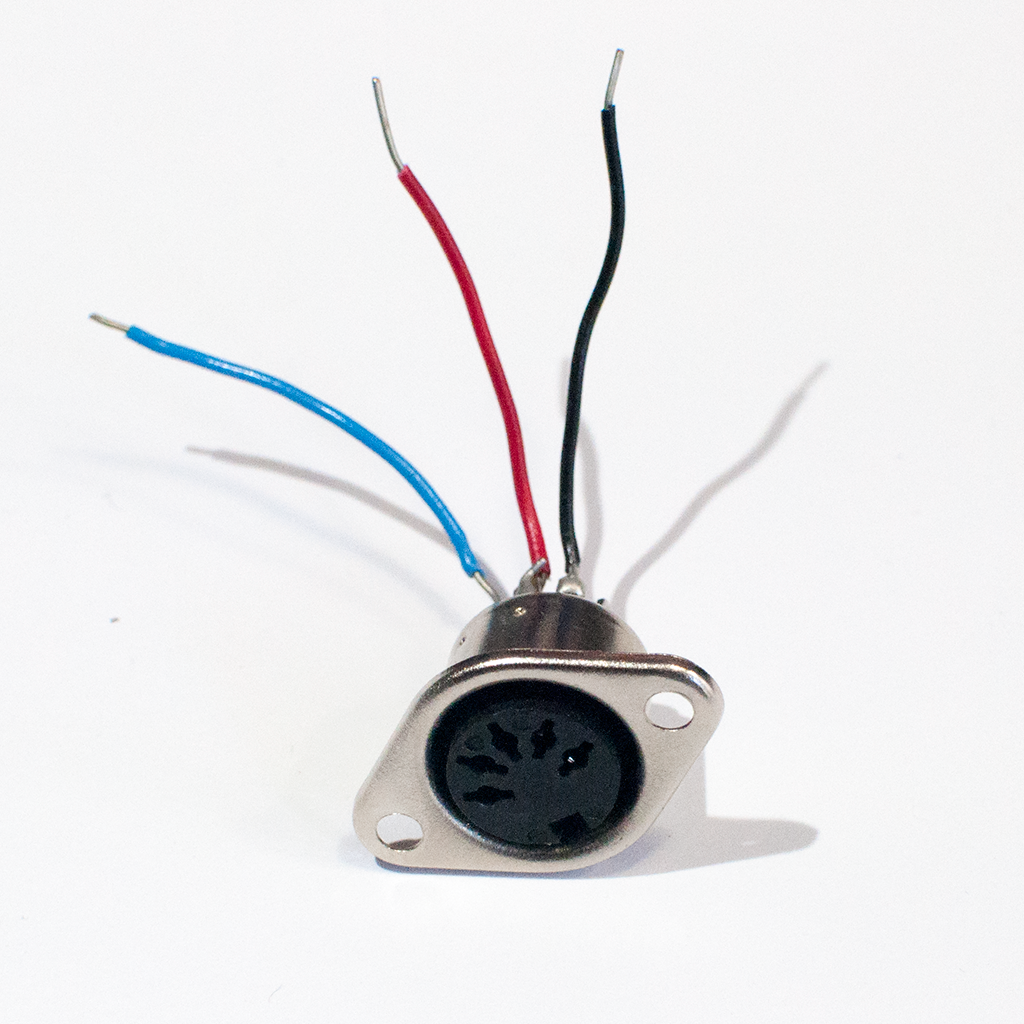
http://itp.nyu.edu/physcomp/images/labs/midi_connector.jpg | MIDI connector Added lines 17-18:
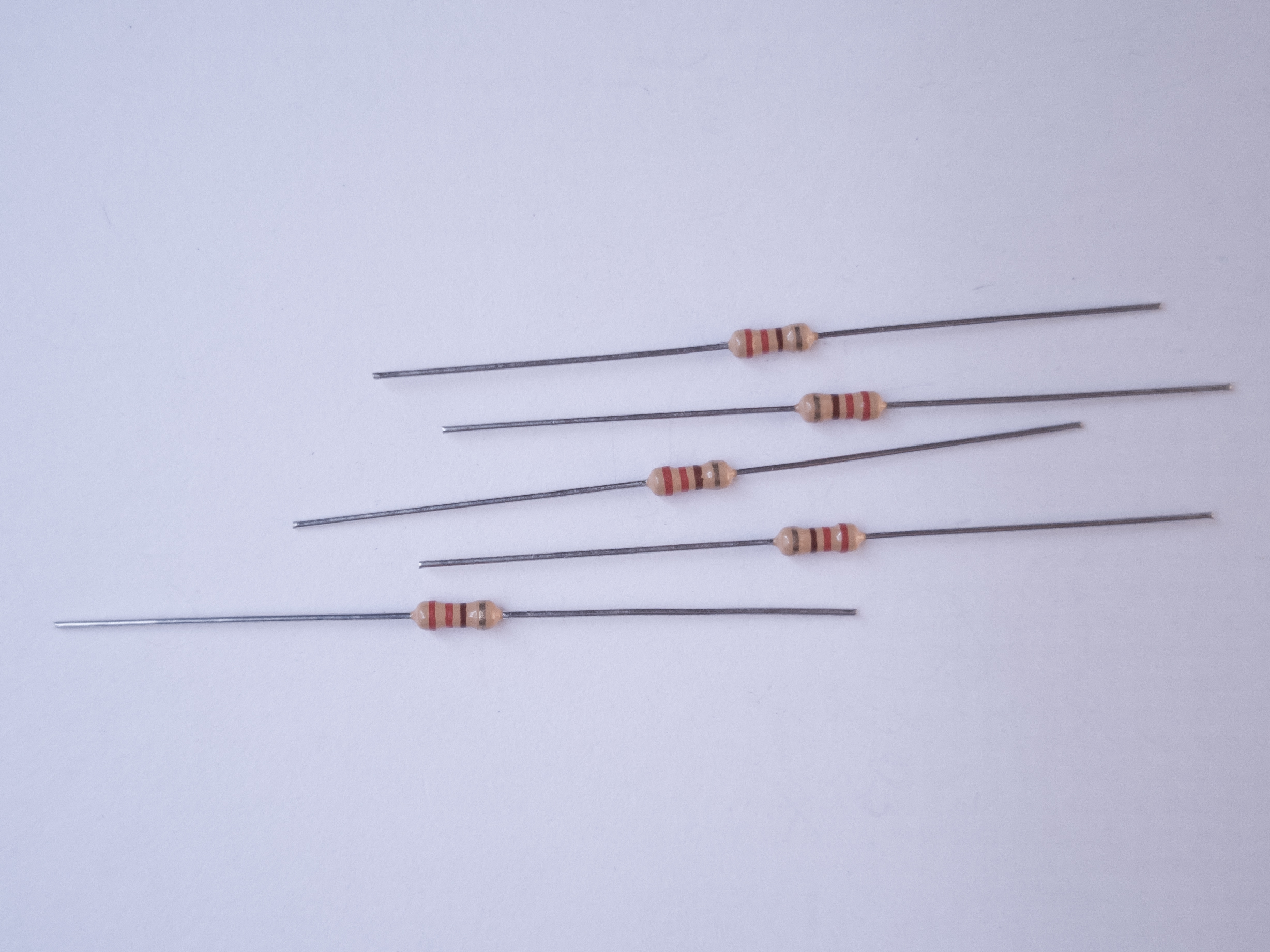
http://itp.nyu.edu/physcomp/images/labs/resistors.jpg | 220 ohm resistors June 14, 2006, at 10:26 AM
by -
Changed line 42 from:
to:
http://www.itp.nyu.edu/physcomp/images/labs/bboard_midi_sensors_2.JPG Changed line 45 from:
to:
http://www.itp.nyu.edu/physcomp/images/labs/bboard_shield_midi_sensors_2.JPG Added lines 52-53:
(:table:) (:cellnr colspan=2:) Changed lines 55-63 from:
to:
(:cellnr:) Breadboard version http://www.itp.nyu.edu/physcomp/images/labs/bboard_midi_sensors.JPG (:cell:) Breadboard shield version http://www.itp.nyu.edu/physcomp/images/labs/bboard_shield_midi_sensors.JPG (:tableend:) June 13, 2006, at 05:22 PM
by -
Changed line 39 from:
to:
http://www.itp.nyu.edu/physcomp/images/labs/arduino_midi_sensors_schem.png June 13, 2006, at 05:19 PM
by -
Changed line 39 from:
http://itp.nyu.edu/physcomp/images/labs/arduino_2_analog_1_dig_schem.png to:
Changed line 42 from:
http://itp.nyu.edu/physcomp/images/labs/bboard_3_sensors.JPG to:
Changed line 45 from:
http://itp.nyu.edu/physcomp/images/labs/bboard_shield_3_sensors.JPG to:
June 13, 2006, at 05:18 PM
by -
Added lines 5-47:
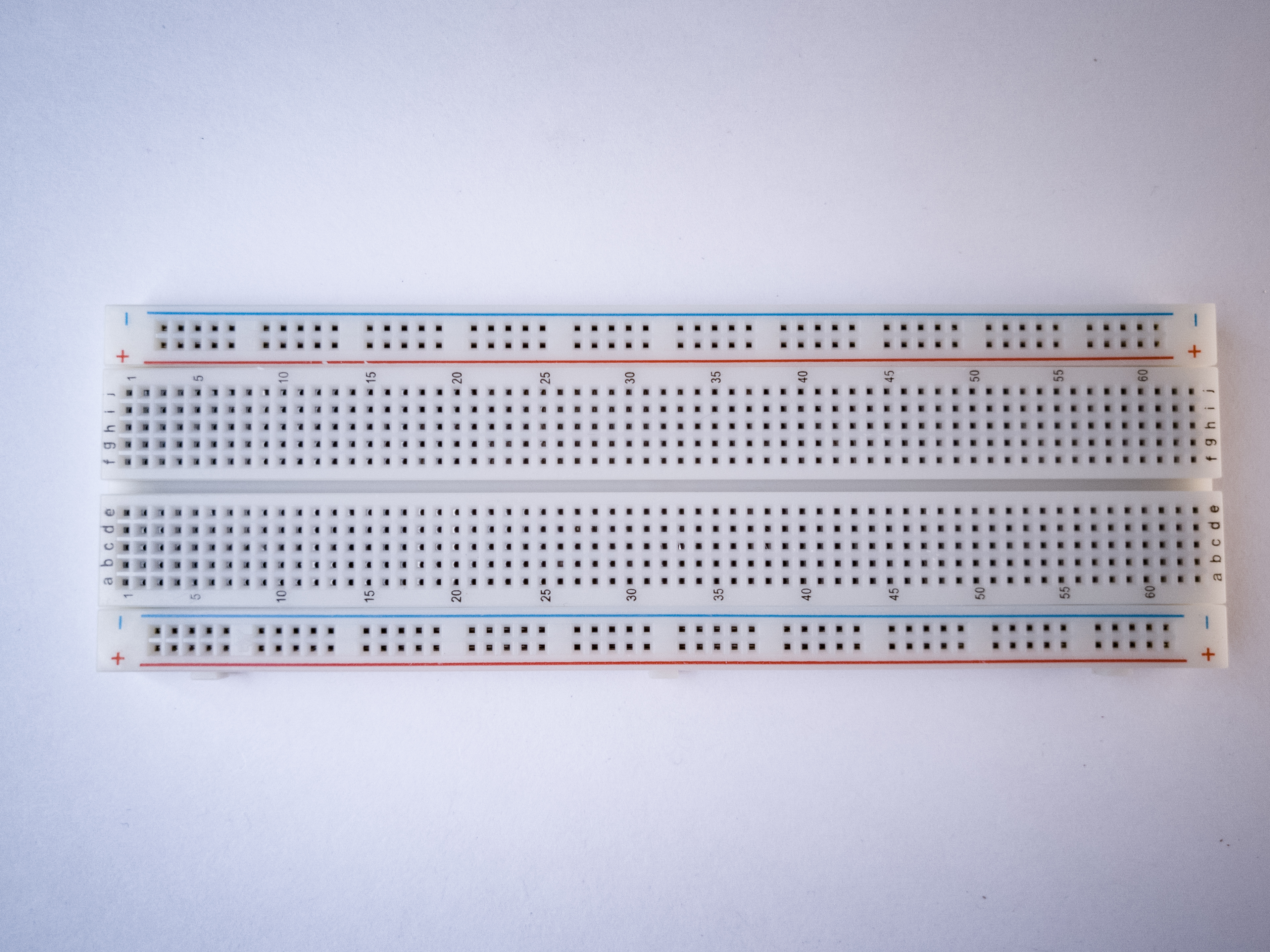
For this lab you'll need: http://itp.nyu.edu/physcomp/images/labs/breadboard.jpg | Solderless breadboard
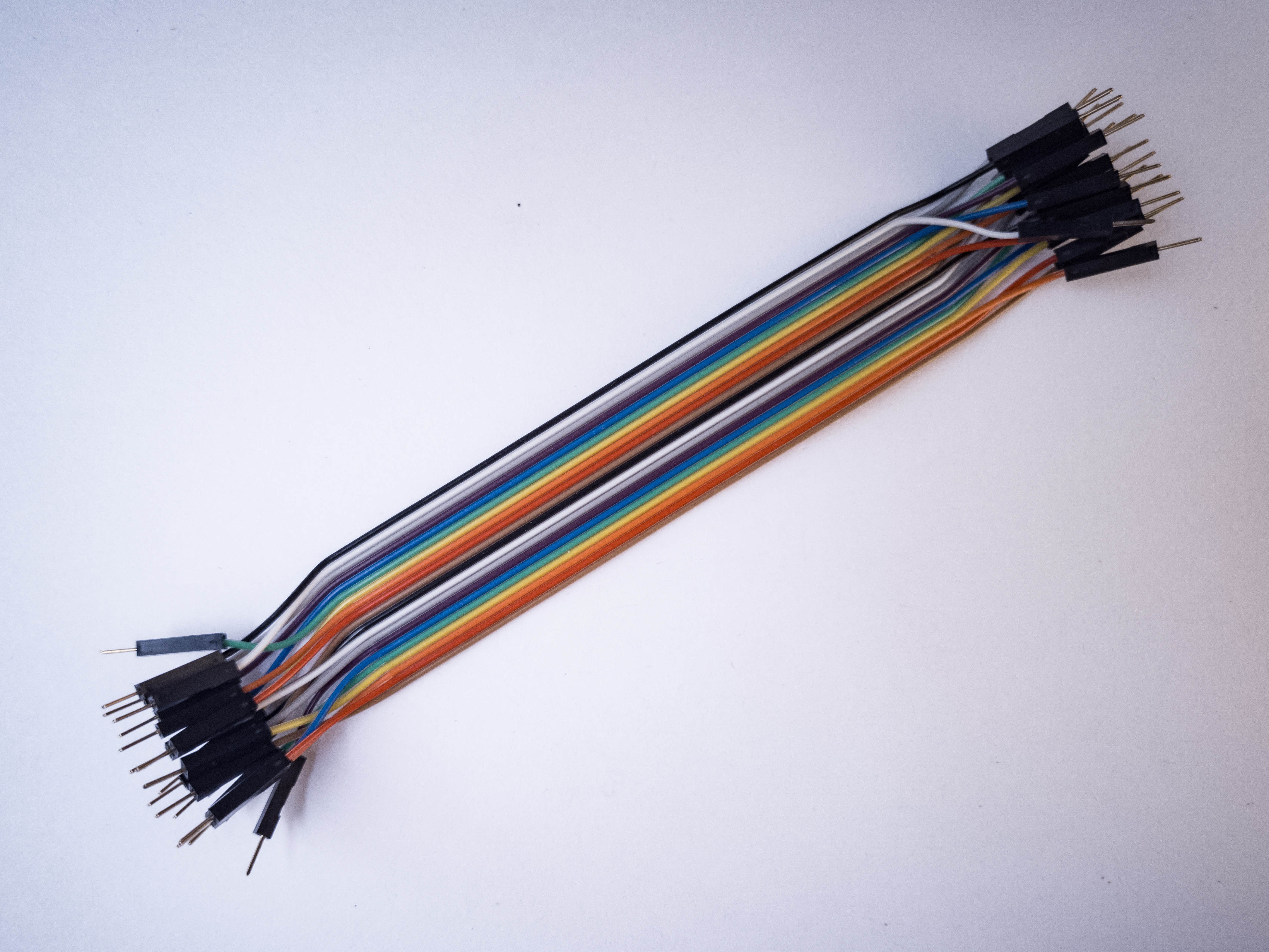
http://itp.nyu.edu/physcomp/images/labs/hookup_wire.jpg | 22-AWG hookup wire
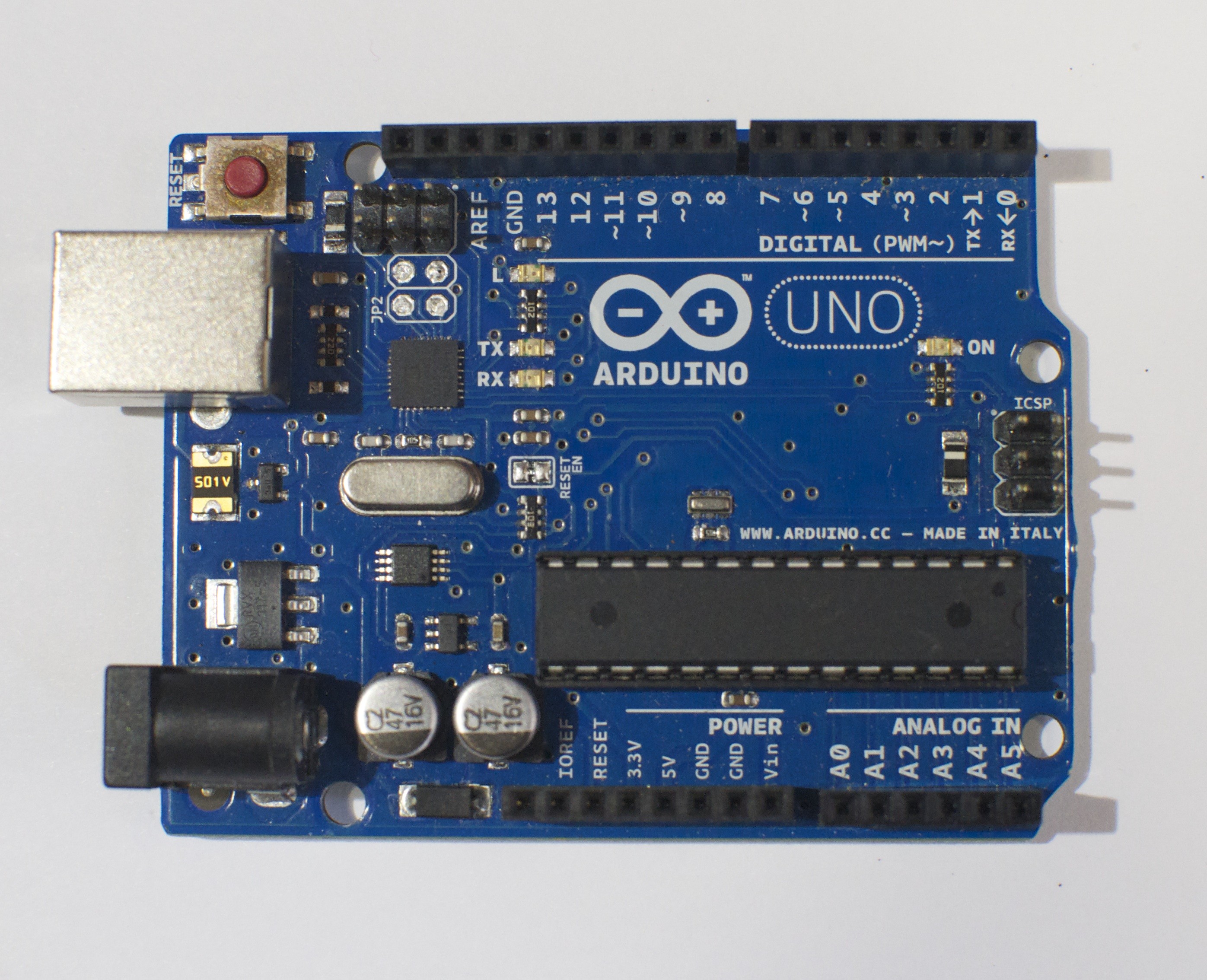
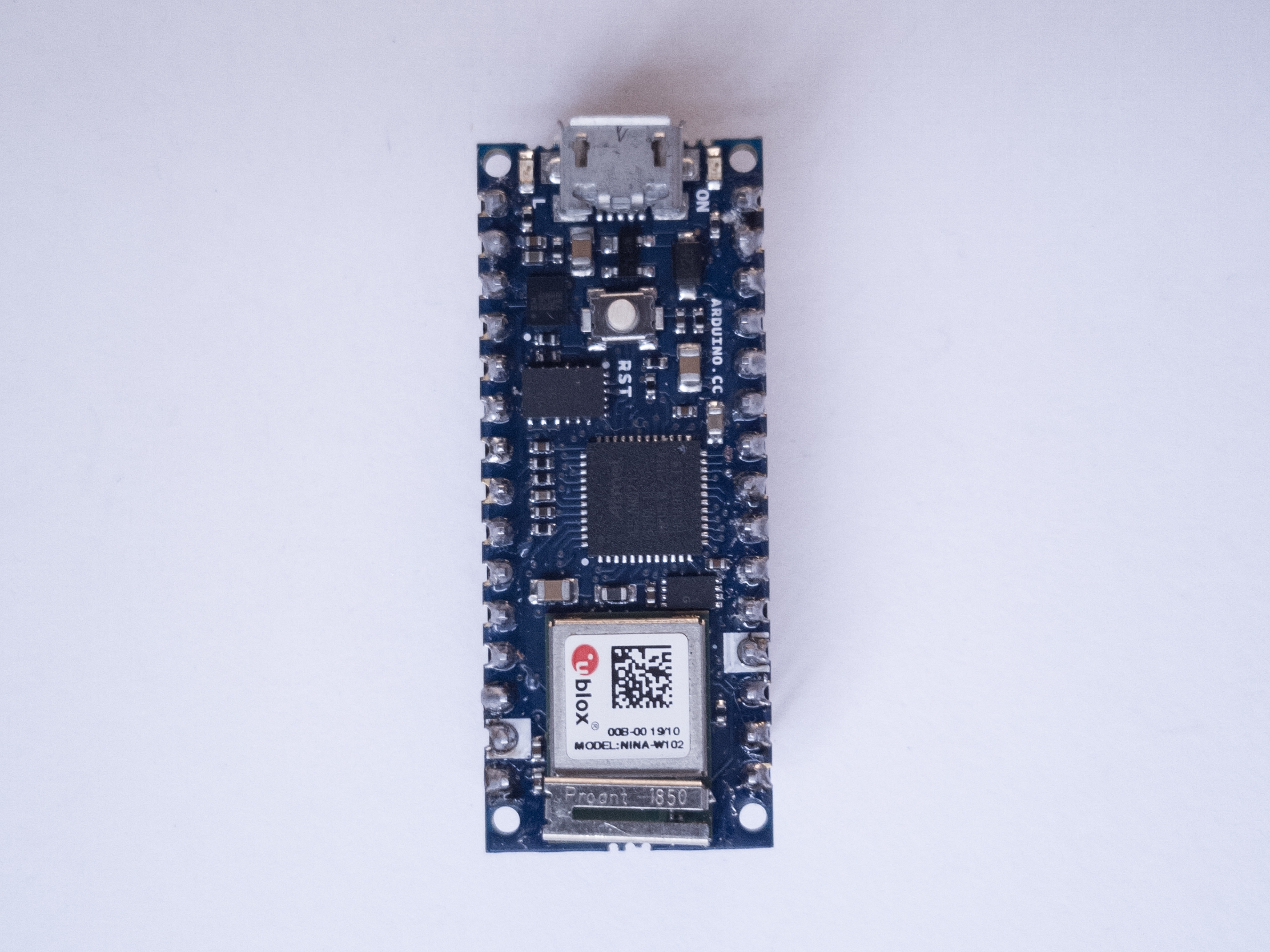
http://itp.nyu.edu/physcomp/images/labs/arduino.jpg | Arduino Microcontroller http://itp.nyu.edu/physcomp/images/labs/resistors.jpg | 10Kohm resistors http://itp.nyu.edu/physcomp/images/labs/flex_sensors.jpg | Flex sensors Prepare the breadboardConnect power and ground on the breadboard to power and ground from the microcontroller. On the Arduino module, use the 5V and any of the ground connections: http://itp.nyu.edu/physcomp/images/labs/arduino_bboard_power.jpg If you're using an Arduino breadboard shield, there is a row of sockets connected to 5V on the analog in side of the breadboard, and a row connected to ground on the digital in side of the board: http://itp.nyu.edu/physcomp/images/labs/breadboard_shield.jpg
Connect the sensorsConnect an analog sensor to analog pins 0 like you did in the analog lab. Connect a switch to digital pin 10 like you did in the digital lab. (:table:) (:cellnr colspan=2:) http://itp.nyu.edu/physcomp/images/labs/arduino_2_analog_1_dig_schem.png (:cellnr:) Breadboard version http://itp.nyu.edu/physcomp/images/labs/bboard_3_sensors.JPG (:cell:) Breadboard shield version http://itp.nyu.edu/physcomp/images/labs/bboard_shield_3_sensors.JPG (:tableend:) June 13, 2006, at 05:16 PM
by -
Added lines 5-6:
Build the MIDI CircuitChanged lines 11-12 from:
This circuit doesn't actually match the MIDI specification, but it works with all the MIDI devices we've tried it with. This circuit insludes an analog and a digital sensor to allow for physical interactivity, but those aren't necessary to send MIDI data. to:
This circuit doesn't actually match the MIDI specification, but it works with all the MIDI devices we've tried it with. This circuit includes an analog and a digital sensor to allow for physical interactivity, but those aren't necessary to send MIDI data. June 13, 2006, at 05:11 PM
by -
Changed lines 9-10 from:
This circuit doesn't actually match the MIDI specification, but it works with all the MIDI devices we've tried it with. to:
This circuit doesn't actually match the MIDI specification, but it works with all the MIDI devices we've tried it with. This circuit insludes an analog and a digital sensor to allow for physical interactivity, but those aren't necessary to send MIDI data. June 13, 2006, at 05:10 PM
by -
Changed lines 7-8 from:
http://www.itp.nyu.edu/physcomp/images/labs/arduino_midi_schem.png to:
http://www.itp.nyu.edu/physcomp/images/labs/arduino_midi_schem.png June 13, 2006, at 05:10 PM
by -
Changed lines 7-8 from:
http://www.itp.nyu.edu/physcomp/labs/arduino_midi_schem.png to:
http://www.itp.nyu.edu/physcomp/images/labs/arduino_midi_schem.png June 13, 2006, at 05:09 PM
by -
Changed lines 7-8 from:
MIDI schematic to:
http://www.itp.nyu.edu/physcomp/labs/arduino_midi_schem.png Added lines 11-12:
Play NotesAdded lines 14-137:
// Variables:
char note = 0; // The MIDI note value to be played
void setup() {
// Set MIDI baud rate:
Serial.begin(31250);
}
void loop() {
// play notes from F#-0 (30) to F#-5 (90):
for (note = 30; note < 90; note ++) {
//Note on channel 1 (0x90), some note value (note), middle velocity (0x45):
noteOn(0x90, note, 0x45);
delay(100);
//Note on channel 1 (0x90), some note value (note), silent velocity (0x00):
noteOn(0x90, note, 0x00);
delay(100);
}
}
// plays a MIDI note. Doesn't check to see that
// cmd is greater than 127, or that data values are less than 127:
void noteOn(char cmd, char data1, char data2) {
Serial.print(cmd, BYTE);
Serial.print(data1, BYTE);
Serial.print(data2, BYTE);
}
Allow a Person to Play NotesThe previous example will just play notes, no interactivity. The example below uses an analog input to set the pitch, and a digital input (a switch) to start and stop the note:
// The switch is on Arduino pin 10:
#define switchPin 10
// Middle C (MIDI note value 60) is the lowest note we'll play:
#define middleC 60
// Indicator LED:
#define LEDpin 13
// Variables:
char note = 0; // The MIDI note value to be played
int AnalogValue = 0; // value from the analog input
int lastNotePlayed = 0; // note turned on when you press the switch
int lastSwitchState = 0; // state of the switch during previous time through the main loop
int currentSwitchState = 0;
void setup() {
// set the states of the I/O pins:
pinMode(switchPin, INPUT);
pinMode(LEDpin, OUTPUT);
// Set MIDI baud rate:
Serial.begin(31250);
blink(3);
}
void loop() {
// My potentiometer gave a range from 0 to 1023:
AnalogValue = analogRead(0);
// convert to a range from 0 to 127:
note = AnalogValue/8;
currentSwitchState = digitalRead(switchPin);
// Check to see that the switch is pressed:
if (currentSwitchState == 1) {
// check to see that the switch wasn't pressed last time
// through the main loop:
if (lastSwitchState == 0) {
// set the note value based on the analog value, plus a couple octaves:
// note = note + 60;
// start a note playing:
noteOn(0x90, note, 0x40);
// save the note we played, so we can turn it off:
lastNotePlayed = note;
digitalWrite(LEDpin, HIGH);
}
else // if the switch is not pressed:
// but the switch was pressed last time through the main loop:
if (lastSwitchState == 1) {
// stop the last note played:
noteOn(0x90, lastNotePlayed, 0x00);
digitalWrite(LEDpin, LOW);
}
}
// save the state of the switch for next time
// through the main loop:
lastSwitchState = currentSwitchState;
}
// plays a MIDI note. Doesn't check to see that
// cmd is greater than 127, or that data values are less than 127:
void noteOn(char cmd, char data1, char data2) {
Serial.print(cmd, BYTE);
Serial.print(data1, BYTE);
Serial.print(data2, BYTE);
}
// Blinks an LED 3 times
void blink(int howManyTimes) {
int i;
for (i=0; i< howManyTimes; i++) {
digitalWrite(LEDpin, HIGH);
delay(100);
digitalWrite(LEDpin, LOW);
delay(100);
}
}
Make an InstrumentNow that you've got the basics, make a musical instrument. Consider a few things in designing yor instrument:
All of these questions, and many more, will affect what sensors you use, how you read them, and how you design both the physical interface and the software. June 13, 2006, at 01:19 PM
by -
Deleted line 10:
June 13, 2006, at 01:17 PM
by -
Added lines 1-12:
This page covers only the details of MIDI communication on the Arduino module. For a more general introduction to MIDI on a microprocessor, see the MIDI notes on Tom's physical computing site. MIDI, the Musical Instrument Digital Interface, is a useful protocol for controlling synthesizers, sequencers, and other musical devices. MIDI devices are generally grouped in to two broad classes: controllers (i.e. devices that generate MIDI signals based on human actions) and synthesizers (including samplers, sequencers, and so forth). The latter take MIDI data in and make sound, light, or some other effect. The MIDI out schematic for Arduino looks like this: MIDI schematic This circuit doesn't actually match the MIDI specification, but it works with all the MIDI devices we've tried it with. Once you're connected, sending MIDI is just a matter of sending the appropriate bytes. The bytes have to be sent as binary values, but you can format them in your code as decimal or hexadecimal values. The example below uses hexadecimal format for any fixed values, and a variable for changing values. All values are sent serially as raw binary values, using the BYTE modifier to Serial.print() (Many MIDI tables give the command values in hex, so this was done in hex for the sake of convenience): |